
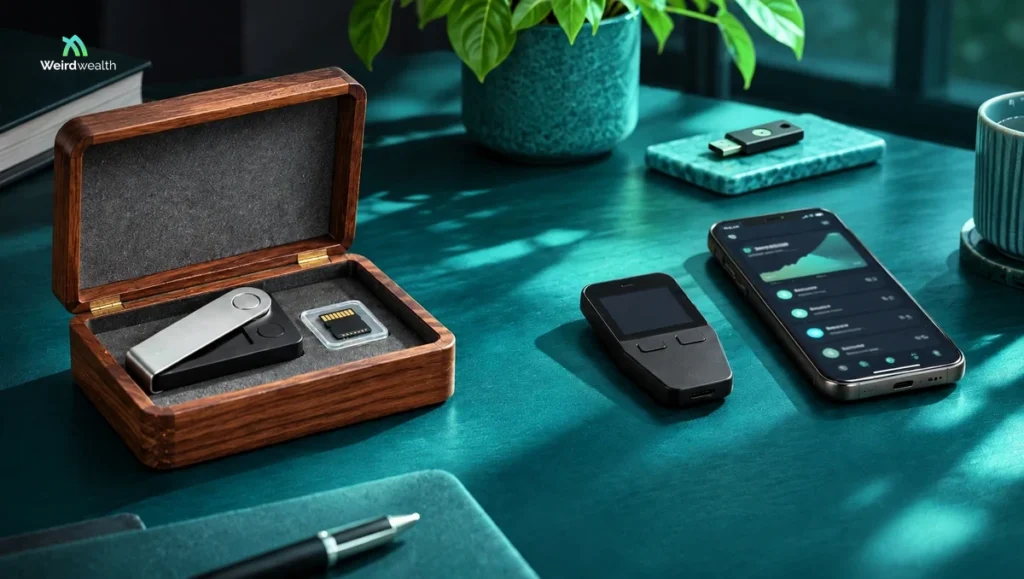
The best crypto cold wallet is the one that protects your private keys while allowing you to verify transactions, recover your assets safely, and manage the cryptocurrencies you actually own. For beginners, the Trezor Safe 3 and Ledger Nano S Plus are useful starting points. Bitcoin-focused users should also consider the BitBox02 Bitcoin-only edition and Blockstream Jade, while people who want larger screens can explore the Trezor Safe 5, Trezor Safe 7, or Ledger Flex.
Imagine spending three years building a cryptocurrency portfolio.
You bought a little Bitcoin every month. Sometimes prices rose, sometimes they fell, but you stayed patient.
Eventually, the account shows $25,000.
You feel proud.
Then you read about another exchange security incident.
Suddenly, an uncomfortable question appears:
What happens to my crypto if the company holding it gets hacked?
That’s when you start researching cold wallets.
But the search results make everything feel complicated.
One device promises military-grade security. Another advertises an air-gapped design. Someone insists that open-source firmware is essential. Another person says a certified security chip matters more.
And apparently, you need to decide all this before you’ve even learned what a private key is.
At Weird Wealth, we believe protecting your money should be understandable, not intimidating.
So let’s compare real hardware wallets, explain what their security features actually do, and work out which characteristics matter for different kinds of cryptocurrency owners.
Key Takeaways
- A cold wallet keeps the private keys needed to authorize cryptocurrency transactions isolated from ordinary internet-connected software.
- Hardware wallets are a common form of cold storage, but using one doesn’t eliminate scams, physical theft, or recovery mistakes.
- Trezor Safe 3 offers a relatively simple hardware-wallet experience with a secure element and open-source firmware.
- Ledger Nano S Plus supports a broad selection of digital assets and uses USB connectivity rather than Bluetooth.
- BitBox02 Bitcoin-only is designed for people who want a focused Bitcoin wallet with fewer unnecessary cryptocurrency features.
- Trezor Safe 5, Safe 7, and Ledger Flex offer larger screens that can make transaction verification more comfortable.
- Blockstream Jade and Jade Plus are worth examining for Bitcoin-oriented workflows, including certain QR-based signing options.
- Recovery backup security is just as important as the device itself.
- Buying from a legitimate source, verifying addresses on the hardware screen, and protecting your recovery information are essential habits.
What Is a Crypto Cold Wallet?
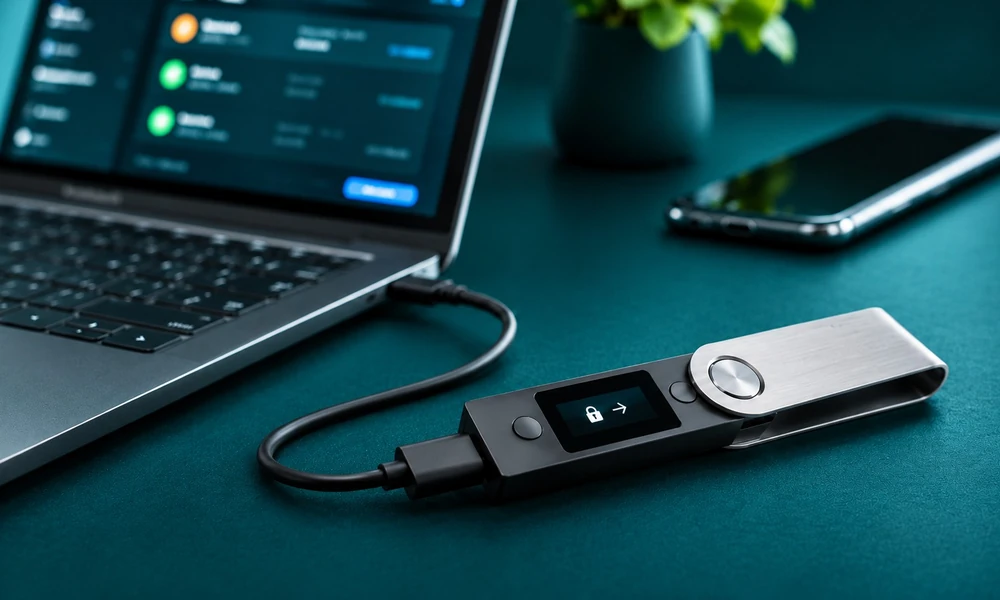
A crypto cold wallet is a method of storing or controlling cryptocurrency private keys while keeping those keys away from routine internet-connected environments.
Here’s a detail that surprises many beginners.
Your Bitcoin doesn’t physically live inside the wallet.
Cryptocurrency balances and transactions are recorded on their respective blockchains.
A wallet manages the keys that allow you to authorize transactions involving those assets.
A hardware wallet is a physical device designed to perform sensitive cryptographic operations without exposing private keys directly to the connected computer or phone.
You may use an application on your laptop to prepare a transaction.
But you confirm the relevant details and authorize signing using the hardware device.
That separation is a major reason people choose cold storage.
However, if you approve a malicious transaction on the device itself, hardware isolation cannot automatically save you.
The wallet protects keys.
It cannot replace your judgment.
For a closer look at how these storage methods compare, read our guide to hot vs. cold wallets.
Cold Wallet vs. Hot Wallet: What’s the Difference?
A hot wallet generally operates in an internet-connected environment.
A cold wallet keeps sensitive signing keys isolated from such environments.
Both approaches have advantages and limitations.
| Feature | Cold hardware wallet | Typical hot software wallet |
|---|---|---|
| Private key environment | Isolated signing hardware | General-purpose device |
| Everyday convenience | May require connecting or operating a separate device | Often faster for frequent transactions |
| Hardware purchase | Usually required | Often no separate device purchase |
| Protection from computer malware | Designed to reduce key exposure | Depends heavily on host-device security |
| Backup responsibility | Critical | Equally critical for self-custodial wallets |
| Transaction approval risk | Still exists | Still exists |
| Best suited for | Deliberate custody and signing | Convenient everyday access |
A hot wallet isn’t automatically unsafe, and a cold wallet isn’t automatically invulnerable.
The correct choice depends on how much you’re holding, how often you transact, and whether you can manage the responsibilities of self-custody.
7 Crypto Cold Wallets Worth Comparing in 2026
These are seven distinct choices that illustrate different security and usability approaches.
They’re not ranked from universally safest to least safe.
A wallet that works beautifully for a Bitcoin-only investor may be unsuitable for someone holding assets across several blockchains.
1. Trezor Safe 3: A Practical Starting Point
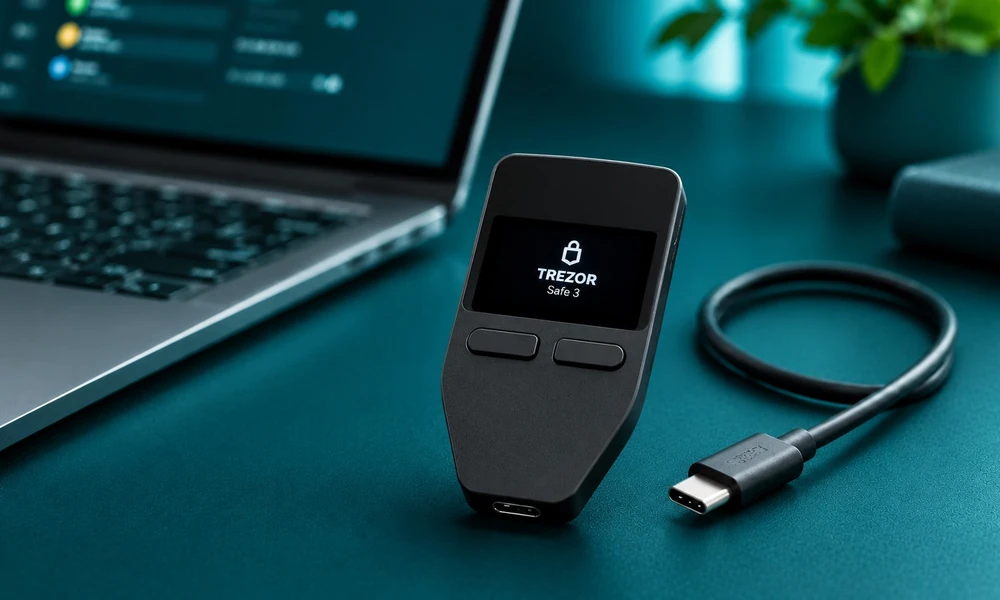
The Trezor Safe 3 is a compact hardware wallet with physical button controls, a monochrome screen, and USB-C connectivity.
It includes a certified secure element designed to strengthen physical security, and Trezor provides open-source firmware.
The device supports wallet backups and optional advanced security features, including passphrases.
What makes it interesting is its simplicity.
You don’t necessarily need a large touchscreen or wireless connection if your primary goal is to hold cryptocurrency securely and make occasional transactions.
Where it fits: Beginners and long-term holders who prefer a relatively straightforward wired device.
What to check: Support for your exact cryptocurrencies, tokens, operating system, and intended wallet applications.
Potential limitation: The smaller display and physical button interface may feel less convenient for frequent or complex transactions.
2. Ledger Nano S Plus: A Broad-Asset Wired Wallet
The Ledger Nano S Plus is a hardware signing device with USB-C connectivity, a compact OLED display, and a secure element.
Ledger lists support for numerous cryptocurrencies and tokens through its software ecosystem and compatible third-party applications.
This breadth is its main appeal.
You may own Bitcoin, Ethereum, Solana, or other supported digital assets and want to manage them using a single hardware wallet ecosystem.
However, asset support isn’t one universal yes-or-no question.
A particular token might require a compatible third-party wallet, network selection, or additional software.
And Ledger’s security architecture has different source-code transparency characteristics from fully open-source firmware approaches.
Where it fits: People who need broad asset compatibility and are comfortable with a small, wired device.
What to check: Exact network compatibility, software integrations, and whether the transparency model meets your preferences.
Potential limitation: Small-screen confirmations and wired-only connectivity.
3. BitBox02 Bitcoin-only: A Focused Bitcoin Approach
The BitBox02 Bitcoin-only edition is designed specifically for Bitcoin.
It uses a dual-chip security architecture, open-source firmware, and a USB-C interface.
The company also provides microSD-based backup functionality.
One particularly interesting decision is that the Bitcoin-only edition cannot simply be converted into a multi-coin edition later.
That’s intentional.
The idea is to restrict the device’s software scope rather than include features a Bitcoin-only owner doesn’t need.
Fewer supported features may reduce certain areas of potential attack surface.
But that doesn’t make any device completely immune to vulnerabilities.
Where it fits: People committed to storing and transacting with Bitcoin rather than multiple cryptocurrencies.
What to check: Bitcoin wallet software compatibility, backup procedures, and operating-system support.
Potential limitation: It doesn’t support altcoins, so it is the wrong device if you need one wallet for a diversified crypto portfolio.
4. Trezor Safe 5: More Comfortable On-Device Verification
The Trezor Safe 5 adds a color touchscreen and haptic feedback.
It also includes a certified secure element, open-source firmware, USB-C connectivity, and advanced backup options.
Why pay attention to the screen?
Because transaction verification is a real security task.
You’re supposed to examine the destination address, amount, and other relevant details before approving a transaction.
A larger, easier-to-read display can make that process more comfortable.
But it isn’t proof that the device has stronger cryptographic protection than every less expensive model.
Trezor itself describes the Safe 3 and Safe 5 as using the same secure element and offering the same level of protection for funds in that respect.
Where it fits: Users who value a touchscreen and more comfortable transaction confirmation.
What to check: Whether the improved interface justifies the extra expense for your usage.
Potential limitation: A larger screen doesn’t eliminate malicious approvals or poor backup practices.
5. Blockstream Jade and Jade Plus: Bitcoin-Focused Flexibility
Blockstream’s Jade family focuses on Bitcoin and the Liquid network.
The devices support different connectivity and signing workflows.
Jade supports USB, Bluetooth, and QR-based interactions, while Jade Plus offers camera-driven QR workflows that can support fully air-gapped communication for Bitcoin transactions.
That’s useful for someone who wants to avoid physically connecting the signing device to a computer during selected workflows.
But remember that air-gapped is a description of communication design, not a promise that no security problem can occur.
You still need to inspect transaction information and protect your backups.
There is also an important compatibility detail.
Blockstream explains that QR signing supports Bitcoin transactions, while Liquid transactions require different connection methods.
Where it fits: Bitcoin users interested in QR signing, wallet software integrations, and more deliberate transaction workflows.
What to check: Exact model capabilities, QR compatibility, and whether your preferred companion wallet supports the intended functions.
Potential limitation: Advanced signing workflows can introduce complexity for beginners.
6. Ledger Flex: A Larger Screen for Active Users
Ledger Flex is part of Ledger’s touchscreen hardware wallet lineup.
Its official specifications include a 2.8-inch E Ink touchscreen, USB-C, Bluetooth, NFC, and a certified secure element.
The device is positioned for people who want a more readable signing experience than the traditional Nano models provide.
This may be particularly relevant for users who frequently interact with different supported assets and applications.
Still, convenience and security should be assessed separately.
Wireless communication does not automatically expose private keys, but you should understand how your selected wallet handles connections, verification, and firmware updates.
Where it fits: Users wanting a modern touchscreen interface and broad asset-management capabilities.
What to check: Supported assets, clear-signing functionality for your intended activities, backup options, and platform compatibility.
Potential limitation: More premium hardware can mean paying for convenience features you rarely use.
7. Trezor Safe 7: A Premium Wireless Option
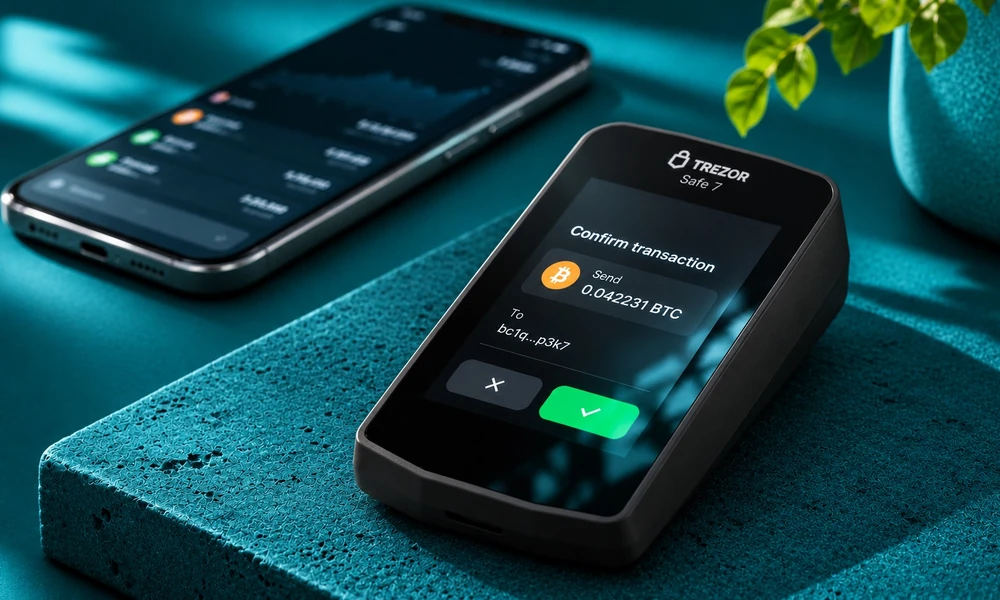
The Trezor Safe 7, launched in October 2025, represents a newer generation of Trezor hardware wallets.
It features a large touchscreen, Bluetooth connectivity, and a security architecture combining multiple hardware components, including TROPIC01 and OPTIGA Trust M secure elements.
Trezor describes its design as supporting future post-quantum security updates and emphasizes the auditability of its security architecture.
That is an interesting direction in hardware-wallet design.
But don’t confuse quantum-ready or future-ready marketing terminology with proof that every hypothetical future threat has already been solved.
Security depends on specific implementations, updates, and evolving research.
Where it fits: Users who value a premium interface, wireless operation, and Trezor’s security architecture.
What to check: Supported assets, mobile compatibility, backup options, and the actual security properties of features you intend to use.
Potential limitation: Advanced hardware features may be unnecessary for people making only occasional transactions.
Which Cold Wallet Is Best for Your Needs?
| Wallet | Main strength | Connection approach | Important tradeoff |
|---|---|---|---|
| Trezor Safe 3 | Simple, open-source hardware approach | USB-C | Small display |
| Ledger Nano S Plus | Broad cryptocurrency ecosystem | USB-C | Small display; different firmware transparency model |
| BitBox02 Bitcoin-only | Focused Bitcoin design | USB-C | Bitcoin only |
| Trezor Safe 5 | Touchscreen confirmation | USB-C | Premium usability features cost more |
| Blockstream Jade / Jade Plus | Bitcoin-focused signing flexibility | USB, Bluetooth, QR depending on model | Workflow complexity |
| Ledger Flex | Large touchscreen and broad integrations | USB-C, Bluetooth, NFC | More features than some holders need |
| Trezor Safe 7 | Premium wireless design and multiple security layers | Wireless and supported wired options | Greater cost and complexity |
Compatibility, software features, and device availability can change. Confirm the exact product configuration before buying.
What Features Actually Matter in a Cold Wallet?
It’s easy to become distracted by specifications.
Let’s focus on the characteristics that affect your real-world experience.
Private Key Protection
A hardware wallet should be designed to prevent ordinary connected applications from directly accessing private keys.
Study the device’s security architecture and available independent assessments.
On-Device Transaction Verification
The device should allow you to inspect important transaction details before approving them.
For some transactions, wallet applications may not be able to display all meaningful details in a fully human-readable format.
Understand what the device is actually showing.
Recovery and Backup
If the device is lost or damaged, how will you restore access?
Does the wallet use recovery words, a specialized backup format, multiple shares, or another process?
Recovery capability is essential.
Supported Assets and Networks
Owning Ethereum doesn’t mean every ERC-20 token or every network is supported in the same way.
Verify your exact assets and intended network.
Software Transparency
Some manufacturers publish substantial portions of their firmware and software as open source.
Others use proprietary components.
There are different security arguments behind these designs.
Transparency can support independent review, but open-source code alone does not establish that a device is secure.
For more information about different device designs and their features, explore our guide to hardware crypto wallets.
Device Authenticity
How can you check that the device you received is genuine?
What are the manufacturer’s official setup and verification procedures?
Ongoing Updates
Is the firmware actively maintained?
Are updates documented?
Can the device receive security fixes?
A hardware wallet should be evaluated as a long-term product, not simply a one-time purchase.
What Does a Secure Element Actually Do?
You’ll see the phrase secure element in many hardware-wallet descriptions.
A secure element is a specialized chip designed to protect sensitive information and support security functions.
Depending on the implementation, it may help enforce PIN attempts, protect secrets against physical attacks, verify device authenticity, or support other controls.
Some manufacturers advertise Common Criteria certifications such as EAL6+.
Those certifications are relevant technical information.
But they should not be interpreted as a guarantee that the entire wallet, its companion applications, and every possible user interaction are independently certified safe.
A wallet consists of more than one chip.
Its firmware, transaction handling, backup design, interfaces, and user behavior matter too.
Is an Air-Gapped Wallet Safer?
An air-gapped signing workflow avoids a direct electronic communication connection between the signing device and the companion system during the transaction process.
Information may instead be transferred through QR codes or removable media.
This can reduce exposure to some communication-related attack paths.
But it introduces additional procedures.
A user might need to scan several codes, inspect unsigned transaction information, confirm details on the hardware device, and transfer the signed transaction back.
Air-gapped operation can be valuable.
It isn’t automatically the best choice for someone who struggles to follow complex instructions reliably.
The most secure workflow on paper may not be the safest workflow for a person who repeatedly makes mistakes using it.
What Happens if You Lose Your Cold Wallet?
Losing the physical device doesn’t necessarily mean losing your cryptocurrency.
In many self-custody arrangements, you can restore access using the appropriate backup on a compatible wallet.
But that statement has two important conditions.
First, you must possess the correct backup and any additional information needed for recovery, such as a passphrase where applicable.
Second, the backup must remain secret.
If another person obtains enough recovery information, they may be able to access the same assets.
This is why your recovery backup may be more sensitive than the physical hardware wallet.
A PIN can help protect a stolen device.
It generally cannot protect your assets if an attacker already has the full information needed to restore the wallet elsewhere.
The Biggest Cold Wallet Mistake: Exposing Your Recovery Phrase
Imagine buying a hardware wallet.
You initialize it correctly.
The device generates a recovery phrase.
You carefully write it down.
Then you take a photograph of the phrase so you won’t lose it.
That photograph automatically uploads to cloud storage.
Months later, an attacker gains access to the relevant account.
The hardware wallet itself may never have been compromised.
But the recovery information could now be exposed.
That’s why reputable hardware-wallet guidance emphasizes keeping backups secure and avoiding unnecessary digital exposure.
You can review these recovery phrase security recommendations for additional guidance on protecting wallet backups.
Never enter your recovery phrase into a random website.
Never send it to supposed customer support.
And never share it with someone offering to help verify, synchronize, or repair your wallet.
A genuine support representative does not need your recovery phrase.
The Weird Wealth COLD Wallet Framework
Here’s an original approach to choosing a hardware wallet.
We call it the COLD Framework.
COLD stands for Compatibility, Ownership, Loss Recovery, and Daily Use.
C: Compatibility
Does the device support the assets and networks you actually own?
Will it work with your computer or phone?
Is it compatible with the applications you intend to use?
A Bitcoin-only wallet cannot solve a multi-asset custody problem.
O: Ownership
Do you understand who controls the private keys?
Does the chosen setup require trusting an exchange or third-party custodian?
What are the consequences of approving a transaction?
Hardware wallets support self-custody, but the user must understand the responsibilities that come with it.
L: Loss Recovery
How would you recover access if your device stopped working?
Where will you keep the backup?
Have you understood the manufacturer’s documented recovery process?
Could a family member or trusted representative handle the necessary procedures under an appropriate estate plan?
D: Daily Use
Will you use the device frequently or only a few times each year?
Do you need a touchscreen?
Is mobile support important?
Are advanced workflows likely to help you or simply create confusion?
The strongest choice isn’t necessarily the most expensive device.
It’s the one you can operate correctly and consistently.
A $20,000 Crypto Custody Example
Imagine someone holds $20,000 in cryptocurrency.
They’re deciding whether to buy a hypothetical $80 hardware wallet.
The hardware cost represents:
$80 ÷ $20,000 × 100 = 0.4% of the portfolio.
Now imagine another person owns only $200 in cryptocurrency.
For them, the same device represents:
$80 ÷ $200 × 100 = 40% of the portfolio.
| Portfolio value | Illustrative device cost | Cost relative to holdings |
|---|---|---|
| $200 | $80 | 40% |
| $2,000 | $80 | 4% |
| $20,000 | $80 | 0.4% |
| $100,000 | $80 | 0.08% |
These are hypothetical calculations, not current device prices.
The purpose isn’t to suggest that everyone with $20,000 needs the same wallet.
It’s to show that hardware costs should be considered relative to the value, risks, and custody needs involved.
For larger holdings, the consequences of a custody mistake can be substantial.
But an expensive wallet doesn’t automatically eliminate those risks.
How to Set Up a Cold Wallet Safely
Different manufacturers use different procedures, so always follow official documentation for your exact device.
These general precautions apply broadly.
Step 1: Buy From a Trustworthy Source
Prefer the manufacturer or a retailer you can independently verify as authorized.
Avoid suspiciously discounted devices from unknown sellers.
Step 2: Inspect the Device and Packaging
Follow the manufacturer’s authenticity-check procedures.
Do not rely solely on whether the packaging looks sealed.
Step 3: Install Official Companion Software
Obtain software through verified manufacturer channels.
Be careful with search advertisements, fake downloads, and impersonation websites.
Step 4: Initialize the Wallet Yourself
Follow the manufacturer’s setup instructions.
A new self-custody wallet should not arrive with a recovery phrase that a seller has already generated for you.
Treat any such situation as suspicious.
Step 5: Back Up Recovery Information Securely
Follow the exact backup instructions for your device.
Never share recovery information.
Step 6: Verify a Receiving Address
When appropriate, confirm that the receiving address displayed in your companion application matches the address verified on your hardware device.
Step 7: Start With a Small Transfer
Consider a small test transaction before moving substantial funds.
Remember that blockchain transactions may be irreversible and network fees can apply.
Step 8: Understand Recovery Before Relying on the Wallet
Study the official recovery process.
Don’t experiment with resetting a funded device unless you’re certain you have a valid backup and fully understand the procedure.
Should You Keep All Your Crypto in One Cold Wallet?
Not necessarily.
Some owners use different wallets for different purposes.
For example, a person might separate long-term savings from assets used regularly in decentralized applications.
That can help isolate certain risks.
But multiple wallets also create more backups, accounts, and opportunities for mistakes.
For a beginner, unnecessary complexity can be counterproductive.
For someone managing substantial holdings, more sophisticated custody arrangements may be appropriate.
Multisignature wallets, separate devices, and institutional custody solutions can offer additional controls.
However, they require careful design and reliable recovery procedures.
Cold Wallet vs. Crypto Exchange: Which Is Safer?
These approaches involve different responsibilities.
With a typical custodial exchange account, the platform controls the keys or custody infrastructure associated with customer assets.
You rely on the organization to maintain suitable security, operations, and access to your account.
With a self-custodial hardware wallet, you take direct responsibility for the relevant keys and backups.
That reduces dependence on one custodian but introduces the possibility of permanently losing access through mishandled recovery information.
| Question | Exchange custody | Hardware self-custody |
|---|---|---|
| Who controls custody keys? | Usually the custodian | User-controlled wallet |
| Can the provider restrict withdrawals? | Potentially | No comparable central withdrawal control for ordinary self-custody |
| Who manages backup and recovery? | Usually platform account recovery processes | The user and their chosen arrangements |
| Main operational risks | Platform failure, account compromise, restrictions | Backup loss, malicious signing, device and setup errors |
| Convenience | Often simpler for frequent platform transactions | Requires deliberate key management |
Neither arrangement is appropriate for everyone.
And both can expose users to financial losses.
The decision should reflect your technical comfort, assets, jurisdiction, and willingness to manage security.
Five Cold Wallet Buying Mistakes to Avoid
- Buying only because a device is popular. Popularity doesn’t establish compatibility with your assets or needs.
- Ignoring recovery. A secure device becomes useless if you lose all valid recovery information.
- Trusting every transaction request. Hardware wallets can sign malicious transactions when users approve them.
- Assuming air-gapped means invincible. Communication design is only one component of security.
- Purchasing advanced features you don’t understand. Complexity can create new opportunities for operational errors.
Frequently Asked Questions
What is the best crypto cold wallet in 2026?
There is no universal best choice. Trezor Safe 3 and Ledger Nano S Plus are useful starting points for general hardware-wallet comparisons. BitBox02 Bitcoin-only and Blockstream Jade are options for Bitcoin-focused users, while premium models offer larger screens and additional features.
Is a cold wallet safer than an exchange?
Cold storage can reduce dependence on an exchange’s custody infrastructure, but it transfers important security and recovery responsibilities to the user. Both approaches have risks.
Can a cold wallet be hacked?
Hardware wallets can be exposed to security vulnerabilities, physical attacks, malicious transaction approvals, and recovery-phrase theft. No wallet is completely immune to compromise.
What happens if my cold wallet breaks?
With the correct backup and any required additional recovery information, assets may generally be accessible through an appropriate recovery process. Without valid recovery information, access may be permanently lost.
Is Ledger better than Trezor?
They use different product designs, security architectures, software approaches, and interfaces. The more suitable option depends on supported assets, transparency preferences, usability, and recovery needs.
Is a Bitcoin-only wallet better?
A Bitcoin-only design may reduce software scope and unnecessary functionality for someone who owns only Bitcoin. But it cannot manage unrelated cryptocurrencies.
Do I need a cold wallet for $100 in Bitcoin?
Not necessarily. Consider the device cost, your ability to handle self-custody, and the risks of alternative storage arrangements. There is no universal minimum balance requiring a hardware wallet.
Do cold wallets charge monthly fees?
Many hardware wallets can be used without a required ongoing hardware subscription, but network transaction fees, optional services, and third-party application charges may apply.
Can I store USDT on a cold wallet?
Certain hardware wallets support USDT on specific networks through compatible applications. Verify the exact token and network before making a transfer.
Can someone steal crypto with my recovery phrase?
Yes. If someone obtains enough information to restore your wallet, they may be able to authorize transactions independently of your original device.
Final Thoughts
Buying a cold wallet can feel like purchasing a tiny safe for your digital money.
And in some ways, that’s a useful comparison.
But there’s a difference.
A physical safe protects the objects stored inside it.
A crypto hardware wallet protects the cryptographic keys used to control assets recorded on a blockchain.
That means the device is only one part of the security system.
The other part is you.
How carefully you verify transactions.
How securely you preserve recovery information.
How you respond to suspicious messages.
And whether you understand what you’re approving.
At Weird Wealth, we love financial technology, especially when it gives people greater control over their money.
But control comes with responsibility.
A beautiful touchscreen won’t rescue you from revealing your recovery phrase.
An expensive device won’t protect you from deliberately approving a fraudulent transfer.
And the most technically sophisticated wallet isn’t necessarily suitable for someone who cannot confidently manage its recovery process.
The best crypto cold wallet isn’t the one that looks most impressive on your desk. It’s the one that makes secure ownership understandable, manageable, and repeatable for you.
Choose carefully. Learn the recovery process. And protect your keys as seriously as you protect the money they control.