

Personal finance apps help you see what your bank balance leaves out: the bills coming next, the subscriptions quietly renewing, and the savings you keep meaning to start. You open your banking app, see money sitting there, and feel comfortable ordering dinner. Two days later, an annual subscription renews, the electricity bill arrives, and that comfortable balance suddenly has several jobs.
A useful money management app brings those jobs into view. Some help you plan every dollar before spending it. Others organize shared expenses, track investments, or reveal recurring charges you have stopped noticing. The right choice depends on where your money routine breaks down. These 15 apps offer different ways to bring it back together.
Editorial note: This guide looks ahead to 2027 using product information reviewed in November 2026. Features, subscriptions, and regional availability can change. The comparisons reflect documented capabilities rather than hands-on testing.
Key Takeaways
- Choose a personal finance app around the problem you need to solve.
- Check your country, currency, bank, and device compatibility before subscribing.
- Distinguish a permanent free plan from a temporary free trial.
- Review imported transactions, especially transfers and credit-card payments.
- Include annual bills and irregular expenses in your budget.
- An app earns its subscription when it helps you make useful decisions consistently.
Which Personal Finance Apps Fit Different Money Habits?
Before comparing individual features, decide what you want to understand better. Are you overspending between paydays? Losing track of household expenses? Earning in one currency and spending in another? Those are different problems, and they deserve different tools.
| App | Main focus | Who should consider it? |
| YNAB | Planning available money | People who want an active budgeting routine |
| Monarch | Household financial visibility | Couples and households managing multiple accounts |
| Quicken Simplifi | Spending plans and financial tracking | People wanting an organized everyday overview |
| Rocket Money | Recurring charges and subscriptions | People reviewing ongoing monthly costs |
| Empower Personal Dashboard | Overall financial position | People tracking investments alongside other accounts |
| Goodbudget | Envelope budgeting | People who prefer clear spending categories |
| EveryDollar | Monthly zero-based budgeting | People who want to assign income specific purposes |
| PocketGuard | Spending and remaining money | People seeking clearer spending boundaries |
| Lunch Money | Multi-currency tracking | Freelancers and households using several currencies |
| PocketSmith | Cash-flow forecasting | People whose income and bills arrive at awkward times |
| Wallet by BudgetBakers | Budgets and account organization | People managing several financial categories |
| Spendee | Shared expense wallets | Couples, families, and groups |
| Actual Budget | Local-first envelope budgeting | People comfortable managing their own setup |
| Buxfer | Transaction organization and budgeting | People who want to organize detailed financial records |
| Money Manager by Realbyte | Expense recording | People who prefer recording purchases themselves |
These are use-case comparisons, rather than a ranking from strongest to weakest.
1. YNAB: Give the Money You Have a Clear Purpose
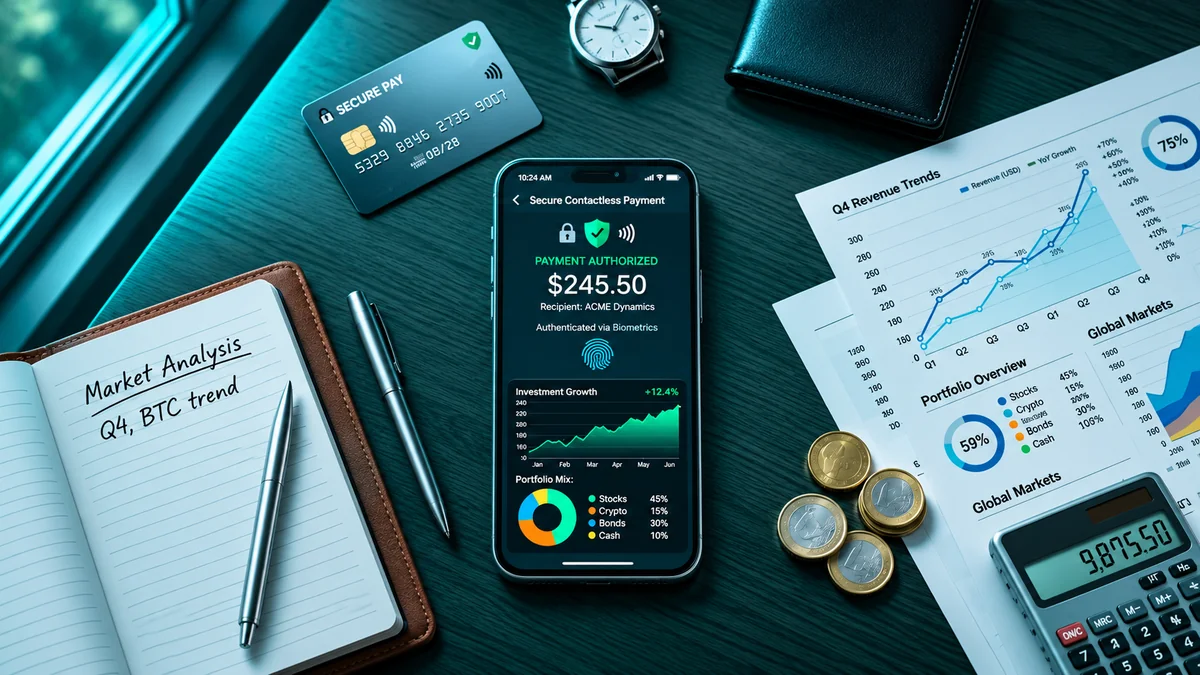
YNAB is worth considering if you regularly wonder where your money went despite earning enough to cover your usual expenses. Its approach centers on allocating available money to priorities. Instead of treating your entire balance as spending money, you divide it among bills, everyday needs, irregular expenses, and future goals. It offers targets, manual transaction entry, and bank imports where supported.
Imagine receiving a $900 freelance payment. Before making a purchase, you decide how much must cover rent, food, upcoming bills, and the period before another client pays. That planning habit is the real attraction. YNAB gives it a structure, but you still need to revisit your choices as circumstances change.
Your trial task: Set up essential bills, one annual expense, and one savings goal. See whether you can explain what your remaining money needs to cover.
2. Monarch: Bring Household Finances Into One Conversation
Monarch combines account information, spending categories, budgets, financial goals, and net-worth tracking. It also supports collaboration with a partner or professional. That makes it relevant when household finances are spread across different accounts and different people. Perhaps one partner handles bills while the other manages savings. Both may be responsible, yet neither has a complete picture of what the household has committed.
A shared view can make discussions more concrete. You can look at the same expenses and goals instead of trying to reconstruct them from memory.
Your trial task: Review a month together and agree on which categories are shared. Make sure both people understand the plan without needing the other person to explain every number.
3. Quicken Simplifi: Organize Everyday Spending and Commitments
Quicken Simplifi offers tools for spending plans, savings, reporting, and projected cash flow. It deserves a look if you want your financial information organized without maintaining a large spreadsheet. The aim is to understand everyday spending alongside the obligations and goals competing for your income.
Be careful when comparing Quicken subscriptions. Simplifi and Quicken Classic are separate products, so check the features of the exact plan you intend to purchase. A useful test involves an expense that does not arrive monthly. Your budget should have room for the annual bill you know is coming.
Your trial task: Add a recurring monthly payment and an irregular expense. Compare the resulting plan with your own calculation.
4. Rocket Money: Give Recurring Charges a Proper Review
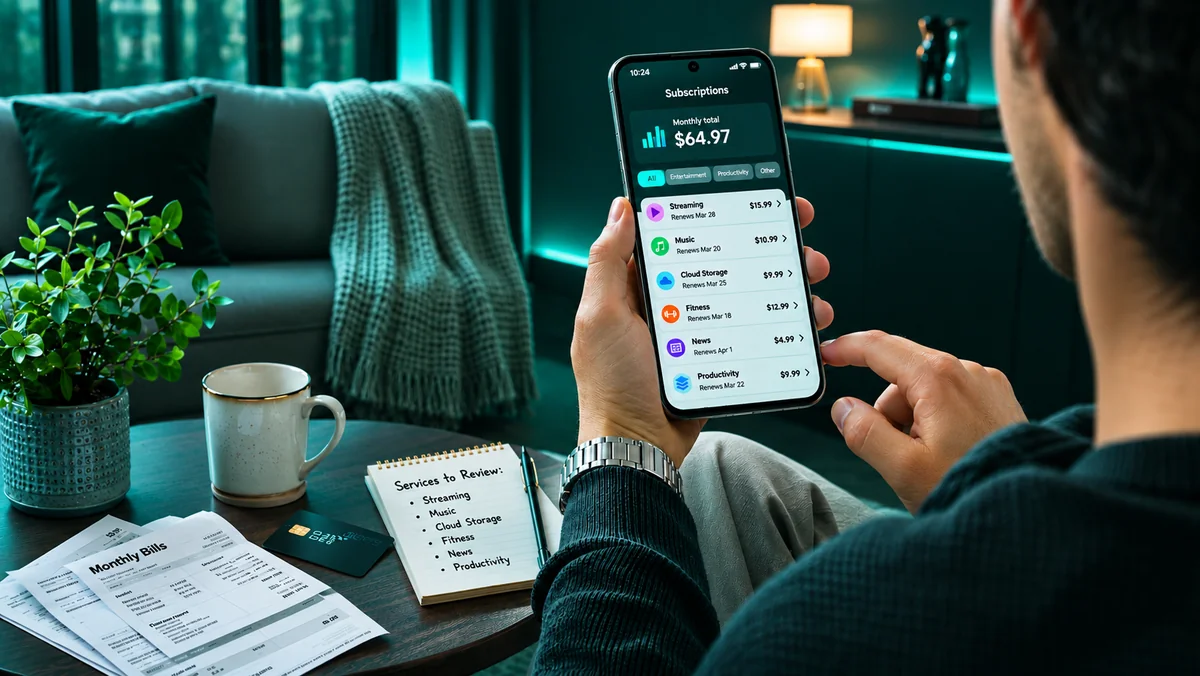
Rocket Money offers subscription tracking, spending information, and budgeting features. Its free tier has limits, while paid tiers add capabilities such as cancellation assistance and expanded budgeting tools. Its clearest use case is familiar: you signed up for something, stopped using it, and never quite got around to canceling.
One forgotten subscription may seem minor. Several can become a meaningful part of your monthly spending. Finding a charge is only the beginning, though. You still need to decide whether the service provides value and confirm that any cancellation takes effect.
Your trial task: Compare detected subscriptions against your statements. Check which cancellation or other services require payment and read their terms before proceeding.
5. Empower Personal Dashboard: Understand Your Wider Financial Position
Empower Personal Dashboard provides free financial tools that can bring together supported banking, borrowing, retirement, and investment accounts. It is a candidate when you want to understand how the pieces of your financial life fit together. Your current account alone tells a limited story. Savings, investments, loans, and other balances may sit elsewhere, making it difficult to see your overall position.
An aggregated dashboard can help with that visibility. However, understanding net worth does not automatically create a workable grocery budget; you may need a separate spending routine.
Your trial task: Check whether your important accounts connect and whether the information answers questions you actually have. Review any separate advisory-service offering independently.
6. Goodbudget: Make Spending Trade-Offs Visible
Goodbudget uses digital envelopes to organize money into spending categories. Its free plan has limits on accounts and envelopes. Premium expands those limits and includes automatic bank syncing for US banks. The method is straightforward: money assigned to groceries belongs to groceries until you deliberately move it somewhere else.
Suppose your dining envelope is empty, but you want another restaurant visit. You can change the plan, although you must decide which other category will contribute. That pause can make spending more intentional without requiring you to abandon everything enjoyable.
Your trial task: Create envelopes for two categories you find difficult to control. Check whether seeing their remaining balances changes your choices.
7. EveryDollar: Build a Monthly Plan With Specific Jobs
EveryDollar supports monthly budgeting, manual expense tracking, savings categories, and bill due dates. Upgraded features include bank connections and additional planning tools. Its zero-based approach gives income specific purposes across expenses, saving, and debt payments. “Zero-based” does not mean spending until your account is empty. Savings and future expenses can receive allocations too.
The approach may suit you if a general promise to “spend less” has never been specific enough. A clear category amount gives you something concrete to review.
Your trial task: Build a typical month, then adjust it for an unusually expensive month. Notice whether the process remains understandable when your first plan needs changing.
8. PocketGuard: Look Beyond the Headline Balance

PocketGuard offers spending tracking, recurring-payment tools, financial goals, remaining-money calculations, and debt-planning features. Availability depends on the current subscription. Its remaining-money approach addresses a common problem: confusing the money in an account with the money available for a new purchase.
That distinction is useful only when the inputs are complete. A missing insurance payment or upcoming repair can make a comfortable-looking figure misleading. Use the app’s calculations as part of your decision, especially when considering a larger purchase.
Your trial task: Include an irregular expense and compare the app’s remaining-money figure with your own calculation.
9. Lunch Money: Follow Finances Across Different Currencies
Lunch Money supports multi-currency tracking and displays totals in a selected primary currency. Its documentation describes historical exchange rates for transactions. That can be useful if clients pay you in one currency while household spending happens in another. Without a consistent reporting view, it becomes difficult to distinguish actual changes in spending from movements in exchange rates.
Remember that a reporting conversion may differ from the amount you receive after a payment provider applies its rate and fees.
Your trial task: Follow one payment from receipt through conversion and transfer. Check that the transfer does not appear as a second payment of income.
10. PocketSmith: See When Cash Could Become Tight
PocketSmith emphasizes budgeting and cash-flow forecasting, including calendar-based planning. This matters because a month can be affordable overall while still containing a difficult week. You might have enough income to cover every bill, but a major payment falls due several days before your next deposit. Monthly totals can hide that timing problem.
Forecasting makes the sequence easier to examine. Its usefulness depends on the accuracy of your assumptions, particularly around uncertain income.
Your trial task: Move an expected payment back by one week. Check whether you can easily see the effect on upcoming balances.
11. Wallet by BudgetBakers: Organize Accounts, Budgets, and Currencies

Wallet by BudgetBakers offers budgeting and personal finance tracking, including multi-currency support. Premium includes group sharing for household coordination. It is worth exploring if your money routine involves several accounts or spending categories. However, flexibility is useful only when the features you need work on your chosen device. Check platform differences and your specific bank connection before paying.
Start with a small setup rather than creating dozens of categories immediately.
Your trial task: Add your main accounts, a simple budget, and one reporting goal. Verify that exports and any required sharing features fit your needs.
12. Spendee: Keep Shared Spending in One Wallet
Spendee offers shared wallets through paid plans. Participants can add, edit, and delete transactions in a shared wallet. That can suit household spending, a group trip, or another situation where several people contribute expenses. Instead of one person collecting messages and receipts afterward, participants can keep records together. Agree on a few rules first. Decide who enters each purchase and how you will correct mistakes so the shared record remains useful.
Your trial task: Record several expenses together and review the results. Confirm that everyone understands the permissions they have.
13. Actual Budget: Take a Local-First Approach
Actual Budget is an open-source personal finance tool built around envelope budgeting and a local-first design. Its budget database lives on your device. It deserves consideration if control over your setup matters to you and you are comfortable understanding the responsibilities involved. Those responsibilities may include backups, syncing, hosting, and optional connected services, depending on your setup.
The software’s licensing model does not remove every possible cost. Your time and any supporting services belong in the comparison.
Your trial task: Establish a backup and recovery process before relying on it for your only financial records.
14. Buxfer: Turn Transaction Records Into a Useful Budget
Buxfer offers budgeting features, including envelope budgeting, and supports bank-statement uploads. That provides a route for organizing existing records without typing every purchase individually. Import quality deserves attention. Duplicate transactions, incorrect categories, and transfers treated as spending can distort your understanding of the month.
Start with a small batch so mistakes are easier to spot and correct.
Your trial task: Import one statement, review transfers, and compare the closing balance with the original record.
15. Money Manager by Realbyte: Build a Clear Record of Daily Spending

Money Manager by Realbyte includes category budgets and bookkeeping features for recording finances, including assets and liabilities. It is worth considering if you prefer entering spending yourself and examining the details behind each total. This may be particularly useful for cash purchases. An ATM withdrawal tells you money left the bank; it does not explain what you subsequently bought.
The challenge is consistency. A detailed recording system needs to remain convenient on an ordinary busy day.
Your trial task: Record every purchase for a week, including cash, and assess whether the effort feels sustainable.
How Can You Choose an App Without Creating Another Expense?
Use this three-part framework: fit, upkeep, and decision value. Fit means the app supports your country, currency, devices, and financial accounts. Upkeep means you can maintain accurate records without avoiding the task. Decision value means it helps you act. Perhaps you prepare for a bill, reduce an unnecessary cost, or notice that a planned purchase would squeeze next week’s essentials.
Before subscribing, check:
- Your important accounts connect, or manual recording is practical.
- Transfers and credit-card payments are handled correctly.
- Cash purchases have a workable tracking method.
- Irregular expenses fit your plan.
- Sharing permissions suit everyone involved.
- Renewal pricing and cancellation terms are clear.
- You can export records you may need later.
Then assess the cost with a simple calculation. In a hypothetical example, an app costs $90 annually and helps you cancel an unused $12 monthly subscription. The avoided charges total $144 over a full year, leaving $54 after the app fee. That is a measurable benefit if the cancellation lasts. Downloading the app alone produces no savings.
Frequently Asked Questions
Can personal finance apps help with irregular income?
Yes, provided the workflow suits it. Plan essential commitments around money received, treat expected payments cautiously, and test what happens when income arrives late.
Do you need automatic bank syncing?
No. Manual entry and statement imports can work if you maintain them consistently. Check connection reliability rather than assuming automation will remove every task.
Can you use these apps in Pakistan?
Check each app’s local availability, currency support, and compatibility with your specific financial institution. Multi-currency support does not automatically include Pakistani bank connections.
Is a paid budgeting app worth it?
It may be if its features help you make useful decisions consistently. Compare the annual renewal cost with the benefits you can identify, and try the workflow before committing.
Can a personal finance app replace business accounting software?
Do not assume it covers business requirements. Household tracking and business accounting involve different needs, including invoicing, payroll, reporting, and tax records.
Give Your Money a Weekly Appointment
Choose the problem first and the app second. If forgotten subscriptions bother you, begin there. If you and your partner need a shared picture, prioritize collaboration. If payment timing causes stress, examine forecasting. Then give the app a short weekly appointment. Correct the records, review upcoming obligations, and make one useful adjustment.
The most valuable result is simple: when you look at your balance, you understand what that money needs to do next.