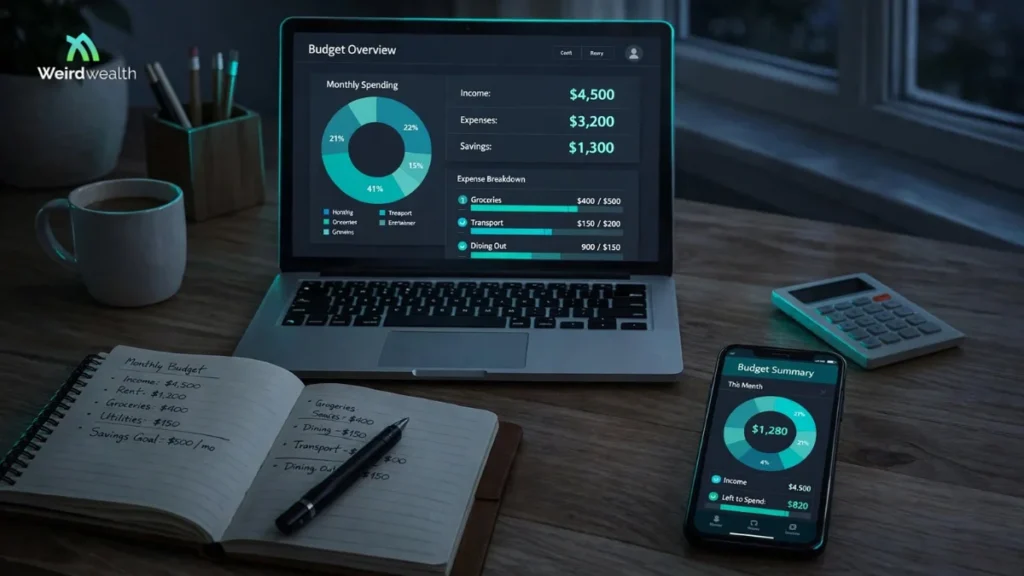
You get paid, cover your bills, buy groceries, and enjoy a few small purchases. Two weeks later, you check your bank balance and wonder where the rest of your money went.
This is where budgeting technology can help. Instead of manually reviewing every transaction, modern personal finance apps can organize expenses, identify recurring payments, and show how your spending changes over time.
The best AI budgeting apps aim to make money management easier through automation, spending analysis, personalized insights, and, in some cases, conversational AI assistants. But not every app marketed as intelligent uses advanced artificial intelligence. Some of the most useful budgeting tools rely on simpler automation and well-designed financial planning systems.
Choosing the right app means understanding what it actually does, how much it costs, which financial accounts it supports, and whether its approach fits your financial habits.
Key Takeaways
- AI budgeting apps can help track expenses, identify spending patterns, and support financial planning.
- Cleo, YNAB, Monarch Money, Rocket Money, and PocketGuard are useful personal finance apps to compare, although their AI capabilities differ.
- Automatic transaction categorization and spending forecasts can save time but still require occasional review.
- Pricing, account compatibility, data privacy, and ease of use matter more than marketing claims about AI.
- The best budgeting app is one you can use consistently without losing control of your financial decisions.
What Are AI Budgeting Apps?
AI budgeting apps are personal finance tools that use artificial intelligence, machine learning, or automated analysis to help users understand and manage their money.
They can organize financial information, identify patterns, and support decisions about spending, saving, and planning.
For example, a budgeting app might notice that your restaurant spending has increased over several months. It could display the change, help you establish a monthly limit, or suggest reviewing certain recurring purchases.
Some apps offer conversational assistants that respond to questions about your spending. Others focus on automated transaction tracking and traditional budgeting methods.
These differences matter. A budgeting app does not need a sophisticated AI chatbot to be useful, and an AI label does not guarantee better financial guidance.
Best AI Budgeting Apps to Consider
1. Cleo
Cleo takes a conversational approach to personal finance. Rather than relying entirely on traditional charts and spreadsheets, it allows users to interact with money-related information through a chat-style experience.
Its appeal lies in making financial management feel less intimidating. Users who struggle to maintain a conventional budget may find conversational spending insights easier to engage with.
Depending on the available plan and location, Cleo offers features related to spending analysis, budgeting, and other personal finance activities.
Its conversational features can help users explore their habits, but any financial suggestions should be checked against actual account information.
Cleo is particularly interesting for people who want budgeting to feel more interactive. Before subscribing, review its current pricing, supported banking institutions, and available features.
2. YNAB
YNAB, short for You Need A Budget, approaches personal finance differently. Its central idea is that available money should be assigned to specific purposes before it is spent.
Instead of simply showing what happened last month, YNAB encourages users to make intentional decisions about upcoming expenses.
This approach can be helpful for managing irregular income, preparing for annual bills, building emergency savings, or paying down debt.
YNAB is not primarily an AI chatbot. Its value comes from a structured budgeting method supported by software tools and account integrations.
For someone who wants greater control over spending decisions, that structure may be more useful than automated recommendations.
The main consideration is whether you are willing to spend time maintaining a detailed budget. Its subscription cost and financial institution compatibility should also be reviewed.
3. Monarch Money
Monarch Money focuses on bringing different parts of personal finance into a consolidated view.
Managing several bank accounts, credit cards, investments, and financial goals can become confusing when information is scattered across different platforms.
A financial dashboard can make it easier to understand how these accounts fit together.
Monarch Money provides tools for monitoring spending, organizing budgets, tracking financial goals, and reviewing broader financial information. Its available automation and AI-related capabilities should be evaluated according to the current product offering.
The platform may appeal to households and individuals who want a more complete financial overview rather than a basic expense tracker.
Before choosing it, check whether your financial institutions are supported and whether the subscription cost is justified by the features you expect to use.
4. Rocket Money
Rocket Money focuses on helping users understand spending and manage recurring expenses.
Subscriptions are a common source of overlooked spending. A streaming service, software subscription, or membership may seem inexpensive individually, but multiple recurring charges can make a noticeable difference to a monthly budget.
Rocket Money provides tools that can help users identify and review recurring expenses, monitor transactions, and manage aspects of their personal finances.
Some services and features may involve subscription charges or additional conditions.
Rocket Money should not automatically be classified as a fully AI-driven budgeting platform. Much of its practical value comes from transaction monitoring, expense organization, and financial automation.
It is worth evaluating if recurring charges are one of your biggest budgeting concerns.
5. PocketGuard
PocketGuard emphasizes helping users understand how much money is available after accounting for expenses and financial commitments.
This approach can be useful for people who find traditional budgeting systems too complicated.
Instead of focusing exclusively on detailed reports, a spending-oriented overview can make everyday decisions easier.
For example, someone planning a weekend purchase may want to understand whether the expense fits within the amount remaining after upcoming bills.
PocketGuard offers budgeting and expense-management features, although the exact functionality depends on the current product and subscription plan.
As with other budgeting apps, automated calculations depend on accurate information. Missing transactions or incorrectly entered expenses can create a misleading picture of available money.
AI Budgeting Apps Comparison
| App | Main strength | Budgeting approach | Main consideration |
| Cleo | Conversational financial insights | Interactive spending guidance | Regional availability and paid features |
| YNAB | Structured money planning | Assigning money to spending categories | Requires active budgeting |
| Monarch Money | Consolidated financial overview | Account tracking and financial planning | Subscription cost and account support |
| Rocket Money | Recurring expense monitoring | Subscription and spending management | Feature restrictions and possible service fees |
| PocketGuard | Simple spending overview | Tracking money available for spending | Accuracy of connected financial information |
These apps offer different approaches rather than identical AI capabilities. The right choice depends on whether you want conversational guidance, detailed planning, a consolidated dashboard, or simpler expense monitoring.
How AI Budgeting Apps Work
Most budgeting apps begin by collecting financial information from accounts you connect or transactions you enter manually.
The software organizes this information into categories, calculates totals, and presents spending patterns through dashboards or reports.
More advanced systems may use machine learning to recognize merchant names, suggest transaction categories, or identify recurring payments.
For example, a transaction from a supermarket might automatically be categorized as groceries. If the classification is incorrect, many apps allow users to adjust it.
Some AI-powered systems can also generate summaries or respond to questions about spending behavior.
However, the results depend on the quality and completeness of the information available. An app cannot accurately understand your entire financial situation if important expenses, income sources, or accounts are missing.
Features to Look for in an AI Budgeting App
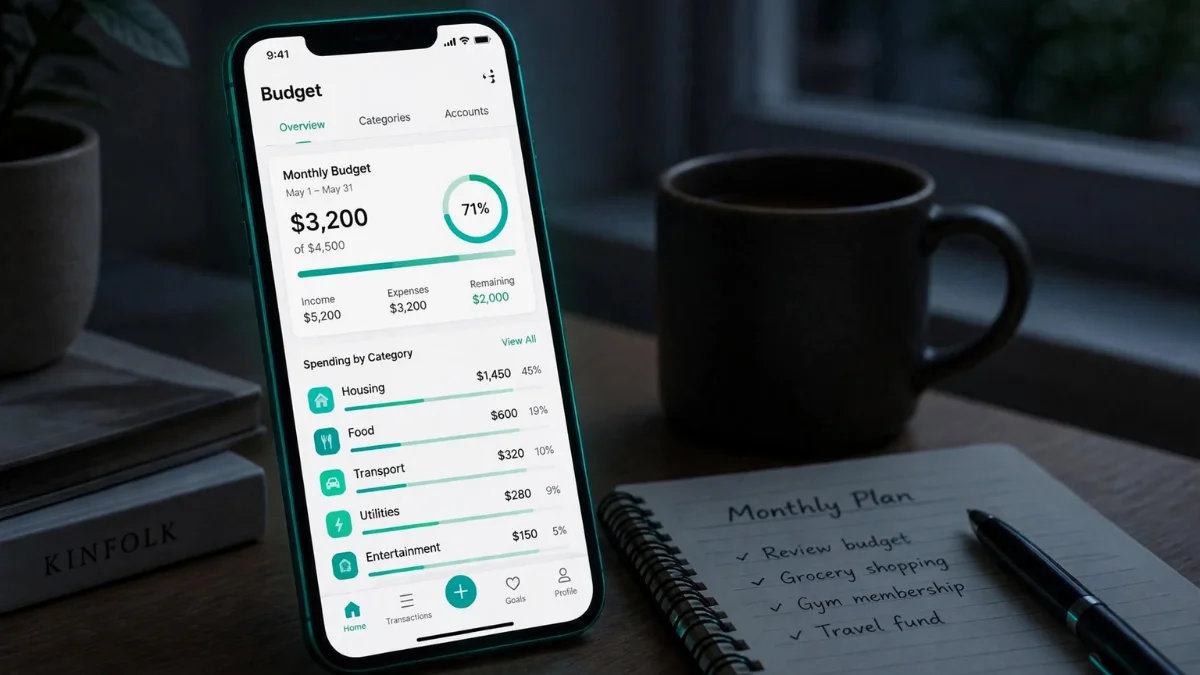
Automatic Expense Tracking
Expense tracking is one of the most useful features in personal finance software.
Instead of entering every purchase manually, supported bank integrations can import transaction information and organize it into categories.
This saves time and helps reveal spending patterns that might otherwise go unnoticed.
However, automatic categorization is not always accurate. Shared purchases, transfers between accounts, refunds, and business expenses may need manual correction.
Spending Analysis
A useful budgeting app should show where your money goes and how spending changes over time.
Comparing monthly expenses can help identify increases in discretionary spending or changes in essential costs.
For example, reviewing several months of grocery expenses may reveal that your average spending has gradually increased.
The purpose is not necessarily to eliminate every unnecessary purchase. It is to understand your choices and make adjustments that reflect your priorities.
Bill and Subscription Monitoring
Recurring payments can be difficult to track when they occur on different dates.
Budgeting apps may help identify subscriptions, upcoming bills, and repeated transactions.
This can make it easier to review services you no longer use and prepare for expenses before they arrive.
Financial Goal Tracking
A budgeting tool should support goals that matter to you, whether that means building emergency savings, preparing for travel, reducing debt, or saving for a major purchase.
Goal tracking can help translate a large financial objective into smaller monthly targets.
For instance, saving $1,200 over 12 months would require setting aside an average of $100 per month, assuming no interest or withdrawals.
An app can calculate the target, but you still need to decide whether it is realistic given your income and essential expenses.
Cash-Flow Forecasting
Cash-flow forecasting estimates how much money may remain after expected income and expenses.
This can be useful for people with irregular income or several bills due around the same time.
However, forecasts are not guarantees. Unexpected expenses, delayed payments, and missing transaction information can affect their accuracy.
Privacy and Security
Financial data is sensitive. A budgeting app may request access to bank transactions, balances, account identifiers, or other personal information.
Before connecting accounts, review how the service accesses financial data, what permissions it requests, and whether you can disconnect your accounts.
Look for clear security practices, strong authentication options, and transparent privacy policies.
Never provide banking passwords or verification codes to an unfamiliar service simply because it claims to use AI.
Free vs. Paid AI Budgeting Apps
Free budgeting apps can be useful for basic expense tracking, manual budgeting, and simple financial reports.
Paid apps may offer additional account integrations, detailed analysis, household collaboration, or more advanced planning features.
The important question is whether the paid features solve a problem you actually have.
For example, if you only need to track monthly grocery and transportation expenses, a simple free budgeting tool or spreadsheet may be enough.
If you manage several accounts, irregular income, and shared household expenses, a more comprehensive paid platform may provide meaningful convenience.
Before paying for an annual subscription, check the cancellation policy, renewal terms, supported institutions, and available trial options.
Are AI Budgeting Apps Safe?
AI budgeting apps can be useful, but their safety depends on the provider’s security practices, the permissions granted, and how carefully users protect their accounts.
A budgeting service may use third-party providers to connect to financial institutions. Different connection methods can involve different permissions and risks.
Before using an app, consider whether it provides clear information about data collection, account access, retention, and deletion.
Enable strong authentication where available and review connected accounts periodically.
Also remember that financial privacy and financial accuracy are separate issues. An app can have strong security practices while still making inaccurate spending predictions or categorizing transactions incorrectly.
Can AI Budgeting Apps Help You Save Money?
AI budgeting apps can help you identify opportunities to save, but they do not automatically create savings.
For example, an app might show that you spend $180 per month on subscriptions and that several services are rarely used.
If you cancel $40 worth of unnecessary subscriptions, the savings come from your decision to change spending habits, not from the AI itself.
The same principle applies to dining, shopping, transportation, and other discretionary expenses.
Budgeting software provides information and structure. Consistent financial habits determine whether that information produces meaningful results.
How to Choose the Best Budgeting App for Your Needs

A good starting point is to identify the financial problem you want to solve.
If you frequently lose track of small purchases, prioritize reliable expense categorization and spending reports.
If you struggle to plan, consider a structured budgeting system that helps assign money to future obligations.
If you have several accounts, look for a platform that can consolidate information without creating unnecessary complexity.
If recurring subscriptions are your main concern, focus on tools that make those charges easy to identify and review.
Finally, consider your location. Many budgeting apps are designed primarily around specific banking markets. An app that works well with US financial institutions may not support banks in Pakistan or other countries. Check account compatibility and currency support before subscribing.
The SMART Budgeting App Checklist
Use the SMART checklist to evaluate a budgeting app before committing to it.
S — Security: Does the provider explain how financial information is protected?
M — Money visibility: Can you clearly understand income, expenses, and upcoming obligations?
A — Account compatibility: Does the app support the banks, currencies, and accounts you use?
R — Realistic pricing: Are the subscription costs justified by the features you need?
T — Transparency: Can you review transactions, correct errors, and understand how automated recommendations are generated?
A budgeting app that performs well in these areas may be more valuable than one with numerous AI features that you rarely use.
Common Mistakes When Using AI Budgeting Apps
Trusting Every Automated Category
Apps sometimes misclassify transactions. Review your spending categories regularly to keep your budget accurate.
Setting Unrealistic Spending Limits
An app may suggest a lower spending target, but that does not mean it fits your circumstances. Build a budget around actual income, necessary expenses, and realistic goals.
Connecting Too Many Accounts
Only connect accounts that are necessary for your budgeting needs. Additional connections can increase complexity and expand the amount of financial data shared.
Ignoring Irregular Expenses
Annual insurance, car repairs, medical bills, and seasonal purchases can disrupt a monthly budget if they are not planned for.
Set aside money for predictable but infrequent costs rather than assuming every month will look the same.
Paying for Features You Never Use
An expensive budgeting subscription is not automatically better. If a simpler tool helps you maintain consistent habits, it may be the more sensible option.
Frequently Asked Questions
What is the best AI budgeting app?
There is no single best option for everyone. Cleo may appeal to people who prefer conversational guidance, while YNAB offers structured budgeting. Monarch Money, Rocket Money, and PocketGuard serve different financial management needs. Compare features, pricing, account support, and privacy before choosing.
Are AI budgeting apps free?
Some budgeting apps offer free features or trial periods, while others require subscriptions. Pricing and feature availability can change, so review the current terms before signing up.
Can AI create a personal budget?
AI tools can help organize expenses and suggest budget categories or spending limits. However, you should review the results and adjust them to reflect your income, obligations, and goals.
Do AI budgeting apps connect to bank accounts?
Many budgeting apps support account connections through financial data providers, but availability varies by bank, country, and product. Some also allow manual transaction entry.
Are AI budgeting apps better than spreadsheets?
They can save time through automation and account integrations. Spreadsheets offer greater flexibility and control over data. The better option depends on how much automation you need and how comfortable you are maintaining your own budget.
Can an AI budgeting app reduce debt?
A budgeting app can help track payments, identify spending opportunities, and organize a debt repayment plan. It cannot guarantee debt reduction. Progress depends on repayment amounts, interest charges, income, and financial circumstances.
Can I use AI budgeting apps outside the United States?
Some services support additional countries, but banking integrations, currencies, and features vary. Check the provider’s current regional availability before relying on automatic account connections.
Final Thoughts
The best AI budgeting apps are not necessarily the ones with the most advanced technology. They are the tools that help you understand your spending, plan for future expenses, and make better financial decisions consistently.
Cleo offers a conversational approach, YNAB emphasizes structured budgeting, Monarch Money focuses on a broader financial overview, Rocket Money helps with recurring expenses, and PocketGuard provides a simpler spending perspective.
Start with the financial problem you want to solve, compare the tools that address it, and choose an app whose features, costs, and privacy practices fit your needs. You can also explore ways to earn extra income through mystery shopper jobs, learn how to rent out your car, or build a stronger financial safety net with an emergency fund.
Disclaimer:
This content is for informational purposes only and reflects our personal opinions and experiences. We just love to write and share what we know and research.