

Subscription Billing Software: A customer cancels their card on a Tuesday. Your subscription renews on Wednesday.
The payment fails. Access should probably pause, but not before you send a courteous reminder. The customer updates their card on Friday. Now the system needs to retry the charge, restore access, reconcile the payment, and make sure your records agree.
That small sequence is the real subject of subscription billing software.
A polished checkout is only the beginning. Behind it sit renewals, upgrades, proration, refunds, failed payments, taxes, invoices, disputes, customer access, and financial reporting. Choosing software means deciding how much of that machinery you want to control and how much you want to hand over.
The best subscription billing software depends on your business model. Stripe Billing is a strong choice for teams that want flexible billing infrastructure. Paddle and Freemius can reduce administrative work through a merchant of record model. Chargebee and Recurly suit businesses that need deeper subscription management. Zuora, Maxio, and BillingPlatform serve more complex operations. Whop brings billing and digital access together, while Zoho Billing fits businesses already working inside the Zoho ecosystem.
There is no honest universal winner. There is only a better fit for your customers, your team, and the way you charge.
Editorial note: Product features and packaging can change. Pricing should be verified directly with each provider before purchase. No ranking in this guide is based on paid placement.
Quick Picks by Business Type
- Stripe Billing: Best for flexible billing and technical control
- Chargebee: Best for subscription lifecycle management
- Recurly: Best for retention and payment recovery programs
- Paddle: Best merchant of record option for digital product businesses
- Freemius: Best for licensed software and software makers
- Whop: Best for subscriptions connected to communities and digital access
- Zuora: Best for complex enterprise billing
- Maxio: Best for B2B software billing and finance operations
- Zoho Billing: Best for businesses already using Zoho
First, Understand What You Are Buying
The phrase subscription billing software covers several different kinds of infrastructure. Confusing them is one of the easiest ways to choose the wrong product.
A Payment Processor Moves the Money
A processor handles payment acceptance and settlement. It helps money move from your customer to your business, subject to its terms and supported payment methods.
Processing alone does not necessarily manage the complete subscription lifecycle.
A Billing Platform Decides What Should Happen

A billing platform manages plans, renewal dates, invoices, trials, discounts, upgrades, usage charges, and related logic. Some platforms also process payments. Others connect to separate gateways.
This is where your pricing model becomes operational. Selling a plan with monthly billing, annual billing, seats, usage, and a trial is easy to describe. Calculating every change correctly requires a system.
A Merchant of Record Becomes the Legal Seller
A merchant of record sells to the end customer on your behalf and assumes specified responsibilities for payments, tax, compliance, refunds, and disputes under its agreement.
This can reduce administrative work, but it also changes your relationship with checkout, customer records, refunds, payouts, and product approval. Read the agreement carefully. “We handle taxes” should never be interpreted as “you have no responsibilities.”
1. Stripe Billing: Best for Flexible Billing and Technical Control
Stripe Billing supports subscriptions, invoicing, trials, renewals, usage based billing, smart retries, and customer self service. Its billing models can accommodate flat rate, per seat, usage based, tiered, variable, and multi currency pricing.
Best for: Software companies, digital services, and technical teams that want billing integrated closely with their product.
Why it stands out: Stripe gives businesses substantial control over pricing and billing behavior. Teams can begin with simpler configurations and move toward more customized implementations when their needs justify the work.
Watch out for: Flexibility is not the same as simplicity. Billing, payment processing, tax, revenue recognition, and usage metering can carry separate costs or configuration requirements. Test upgrades, failed payments, refunds, and proration before assuming the setup is complete.
Pricing approach: Usage based or contracted billing charges, with payment processing and optional services considered separately.
2. Chargebee: Best for Subscription Lifecycle Management

Chargebee supports recurring, usage based, tiered, and hybrid billing. Its lifecycle features cover trials, coupons, proration, renewals, invoicing, and subscription changes.
Best for: Growing software and digital service businesses that want a dedicated billing layer between their product and payment infrastructure.
Why it stands out: Chargebee focuses on the operational life of a subscription rather than only the initial charge. Customer portals, accounting connections, reporting, and lifecycle automation can reduce manual work as plans become more complicated.
Watch out for: Advanced requirements may sit in different packages or enterprise arrangements. Check multi entity needs, account hierarchies, contract terms, revenue recognition, and gateway availability before comparing headline prices.
Pricing approach: Billing volume, subscription plans, commitments, and payment gateway costs may all affect the total.
3. Recurly: Best for Retention and Payment Recovery Programs
Recurly combines subscription billing with dunning, retention, payment recovery, and subscriber management features. Its packages distinguish between core billing functions and broader capabilities such as multiple dunning campaigns, additional analytics, and payment orchestration.
Best for: Established subscription businesses where failed payments, churn, and retention deserve a dedicated operational program.
Why it stands out: Recurly treats subscription revenue as something that must be protected after signup. That makes it particularly relevant when a business has enough subscribers for recovery workflows to become a meaningful financial issue.
Watch out for: Do not buy a sophisticated retention system before you understand why customers leave. A cancellation survey cannot repair a weak product. Review which recovery and communication features are included in the package you are actually considering.
Pricing approach: Platform charges may be combined with billing volume costs and separate gateway fees.
4. Paddle: Best Merchant of Record Option for Digital Product Businesses
Paddle combines merchant of record services with subscriptions, payments, tax compliance, fraud protection, and revenue tools for software and digital product sellers. This can be useful for businesses exploring online business ideas or managing finances before taking on new payment systems. Understanding personal loan costs and borrowing options can also help business owners plan their finances more carefully.
Best for: Software, application, and digital product businesses selling internationally that want to outsource significant payment and tax administration.
Why it stands out: The attraction is consolidation. Instead of assembling a gateway, billing system, tax service, and several compliance processes, a business can place much of the transaction structure within one merchant of record arrangement.
Watch out for: A broader service can cost more than a basic processing setup. Compare effective cost, payout timing, product eligibility, refund handling, checkout control, customer data access, and migration options. The model is designed for particular kinds of businesses, not every form of commerce.
Pricing approach: Transaction based pricing is common, with custom arrangements available for some businesses.
5. Freemius: Best for Licensed Software and Software Makers
Freemius combines merchant of record services with subscriptions, software licensing, checkout, renewals, upgrades, downgrades, and failed payment handling. It also offers a customer portal for licenses, subscriptions, billing details, downloads, and invoices.
Best for: Software developers whose billing needs to stay synchronized with license activation, product access, and software delivery.
Why it stands out: Many billing platforms know that a subscription renewed. Fewer are designed around what should happen to a software license at the same moment. Freemius makes that connection central.
Watch out for: Software specific features are valuable only when they match your product architecture. Review integration requirements, supported platforms, license behavior, customer portability, and how access changes after refunds or failed renewals.
Pricing approach: Revenue share and transaction based charges should be compared using your actual sales volume and order sizes.
6. Whop: Best for Communities and Digital Access
Whop combines billing, product delivery, customer access, and payouts. Its approach is built around selling memberships, subscriptions, bundles, and other digital offers while managing access within the same environment.
Best for: Creators, communities, educators, and digital businesses whose subscription includes access to content, groups, or online experiences.
Why it stands out: A conventional billing system can collect a renewal while leaving access control to another tool. Whop’s appeal is keeping those functions closer together.
Watch out for: Do not choose an integrated platform solely to avoid several subscriptions. Review ownership of customer relationships, export options, community dependence, dispute handling, supported products, and what happens if you later move to a custom website or application.
Pricing approach: Transaction charges and optional billing or tax services may shape the effective cost.
7. Zuora: Best for Complex Enterprise Billing
Zuora is designed for organizations with complicated recurring, usage based, and hybrid billing requirements. Its broader platform covers areas such as invoicing, revenue recognition, payment orchestration, and integrations with enterprise systems.
Best for: Larger organizations with multiple entities, complex contracts, high transaction volumes, or sophisticated finance requirements.
Why it stands out: Enterprise billing is rarely just a larger version of small business billing. Different legal entities, approval flows, product catalogs, contract rules, and accounting processes can turn each pricing change into a cross functional project. Zuora is built for that territory.
Watch out for: Implementation can be as important as the software itself. Budget for expertise, integration, testing, data migration, training, and change management. A smaller team should question whether it needs this level of infrastructure.
Pricing approach: Custom commercial arrangements, implementation costs, and connected payment services require a complete quote.
8. Maxio: Best for B2B Software Billing and Finance Operations
Maxio combines subscription billing with software business metrics and finance oriented workflows. It supports recurring, usage based, and hybrid pricing while connecting billing with reporting and revenue processes.
Best for: B2B software companies that want billing and financial operations to inform each other.
Why it stands out: Billing data becomes more valuable when finance teams can use it without rebuilding every report manually. Maxio’s positioning makes sense for companies where invoicing, recurring revenue metrics, and revenue recognition are becoming part of one conversation.
Watch out for: Confirm how your contracts, amendments, credits, invoices, and accounting treatment will work in practice. A dashboard full of metrics is helpful only when the underlying records are reliable.
Pricing approach: Platform packaging, billing volume, advanced finance features, and payment costs should be evaluated together.
9. Zoho Billing: Best for Businesses Already Using Zoho
Zoho Billing supports recurring and usage based billing, automated invoicing, payment retries, proration, renewals, and customer self service. It can connect subscription activity with other Zoho business tools.
Best for: Small and midsized businesses that already use Zoho for accounting, customer relationships, or operations.
Why it stands out: Integration value often comes from proximity. If your team already works inside one ecosystem, adding billing there may reduce duplicate records and training.
Watch out for: Do not let ecosystem convenience hide feature gaps. Confirm that subscription functionality is included in your selected package and test the payment methods, tax needs, customer portal, and reporting your business requires.
Pricing approach: Organization level subscriptions and payment processing costs should be compared against your expected usage.
The Features That Deserve a Real Test
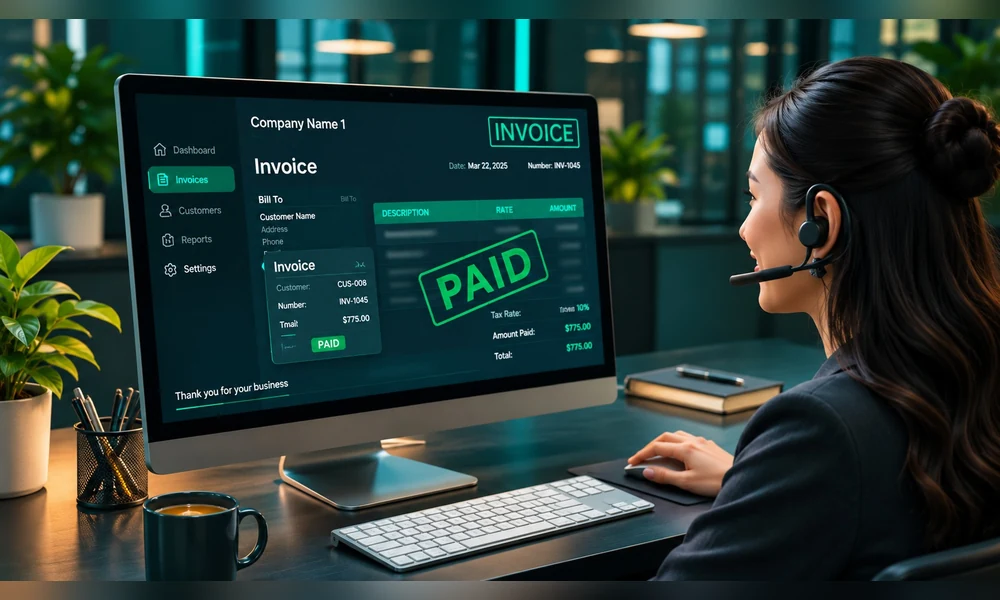
A feature list tells you what a vendor offers. A test tells you whether it behaves the way your business needs.
Proration
Upgrade a plan in the middle of a billing period. Then downgrade it, add seats, and apply a credit. Inspect the invoice line by line.
Failed Payments
Use test scenarios to see when retries occur, what customers receive, how access changes, and whether your team can distinguish a temporary failure from a cancellation.
Refunds and Disputes
Check who can issue a refund, how it affects access, how it appears in reports, and what evidence is available during a dispute.
Customer Self Service
Ask whether customers can update payment methods, download invoices, change plans, and cancel without unnecessary support tickets. Cancellation should not become a dark pattern designed to exhaust people.
Reporting Reconciliation
Compare billing reports with payment settlements and accounting records. Monthly recurring revenue is not the same as cash received.
Data Export
Export customers, subscriptions, invoices, transactions, and metadata. Do not wait until migration day to discover which records cannot travel with you.
Calculate the Total Cost, Not the Advertised Fee
Two platforms can advertise similar rates and produce very different costs.
Your comparison should include:
- Payment processing charges
- Billing platform fees
- Fixed monthly or annual charges
- Merchant of record charges
- Tax service fees
- Currency conversion costs
- International payment charges
- Refund and dispute costs
- Usage metering charges
- Integration and development time
- Migration expenses
- Accounting and reconciliation work
Use your real order mix. Small transactions can be affected heavily by fixed per transaction fees. International customers may introduce additional costs. Low order volume may favor a different structure from high volume enterprise billing.
A simple comparison formula is:
Total billing cost equals platform fees plus processing fees plus tax and payment extras plus internal operating costs.
The final term is easy to ignore. If a cheaper platform requires several hours of manual reconciliation each month, its invoice is not the whole price.
Questions to Ask During a Demonstration
Do not let a sales demonstration remain a tour of attractive screens. Bring your most awkward billing scenario.
Ask:
- Can you show a mid cycle upgrade with proration?
- What happens when a customer adds and removes seats?
- How does the system recover a failed renewal?
- When does customer access change?
- Who is the legal seller of record?
- Which tax responsibilities remain with us?
- How are refunds and disputes handled?
- Which reports reconcile to payouts?
- What data can we export without assistance?
- How are existing subscribers migrated?
- Which features in this demonstration cost extra?
- What happens if we cancel our contract?
The answers will tell you more than another comparison badge.
How to Migrate Without Surprising Customers
Migration is not just moving a spreadsheet. Active subscriptions may involve saved payment methods, renewal dates, tax records, entitlement rules, and customer consent.
Start with an inventory of plans, subscribers, coupons, credits, trial states, failed payments, and custom billing arrangements. Clean obsolete records before moving them.
Run a limited test migration and reconcile the results. Check upcoming renewals individually, especially annual plans and customers with unusual pricing.
Communicate any customer facing change clearly. Avoid sending a vague notice that makes a legitimate billing email look like a phishing attempt.
Keep a rollback plan and preserve read only records where appropriate. Most importantly, do not schedule a complex migration immediately before your largest renewal period.
Frequently Asked Questions
What Is the Best Subscription Billing Software for a Small Business?
A small business should prioritize ease of setup, total transaction cost, supported payment methods, and manageable administration. Stripe Billing, Whop, Zoho Billing, or a merchant of record may fit different models. The product and customer experience should decide.
Is a Merchant of Record Always Better?
No. It can simplify tax and payment administration, but it may reduce flexibility and change costs or customer processes. Compare responsibilities and control rather than assuming more service is automatically better.
Can I Use Stripe Without Chargebee or Recurly?
Yes, depending on your requirements. Additional billing platforms become useful when lifecycle management, gateway arrangements, reporting, or operational complexity justify another layer.
What Is Dunning?
Dunning is the process of communicating about failed or overdue payments and encouraging customers to resolve them. Good dunning is clear and respectful. It should not confuse or pressure customers.
Can Subscription Software Guarantee Lower Churn?
No. Recovery tools may help with some failed payments, but churn also reflects product value, pricing, service quality, customer fit, and competition. Software cannot repair every cause of cancellation.
Choose the System Behind the Promise
A subscription is a promise to deliver value repeatedly. Billing software is the machinery that keeps the commercial side of that promise accurate.
Choose flexibility when your team can maintain it. Choose a merchant of record when the administrative relief justifies the tradeoffs. Choose enterprise infrastructure when your complexity is real rather than imagined.
Then test the unhappy paths: the expired card, the disputed invoice, the mid cycle change, the refund, and the customer who wants to leave.
For more practical guides to digital business, payments, and technology, visit Weird Wealth. You can also explore our guide to AI in banking to understand how automated decisions are changing the wider payment environment.
Important disclaimer:
This article provides general software and business education only. It does not constitute financial, accounting, tax, legal, compliance, or technical implementation advice. Product features, eligibility, pricing, integrations, and merchant of record responsibilities can change and may vary by region or contract. No software choice guarantees revenue, compliance, lower churn, or successful migration. Verify current documentation and pricing with each provider, test your own billing scenarios, and obtain qualified professional advice for significant tax, accounting, legal, or financial decisions.