A free stock screener can make a long market list easier to manage, but it cannot tell you whether a company is right for your portfolio. The best free stock screeners help US investors sort stocks around their investing goals, from fundamental research to technical scans.
A screen returns candidates that match the filters you choose. It does not weigh every risk, explain a company’s plans, or decide whether the stock fits your finances. You still need to research each candidate before making an investment choice.
The options below suit different research habits and time frames. Some focus on charts, while others make it easier to compare company data or scan a broad market. The useful choice is the tool whose free limits still fit your time frame and research habits.
Key Takeaways
- TradingView is a strong pick for technical and chart-based work.
- Finviz makes quick visual scans of US stocks easy.
- Yahoo Finance offers a familiar general-purpose screen.
- StockAnalysis.com covers global securities for fundamental research.
- Webull suits users who want screening beside trading tools.
- A matching result is a candidate, not a buy recommendation.
What Does a Stock Screener Do?
A stock screener narrows a chosen universe to stocks that meet filters such as a valuation ratio or earnings-growth threshold. On demand, it checks selected data and returns matching candidates for further research.
Screeners can sort results by sector, country, exchange, or index. A stock scanner is a tool that monitors market conditions and flags symbols when they meet selected criteria. A screener runs when you ask; a scanner watches for conditions as they change.
- Valuation: compare measures such as the P/E ratio, or price-to-earnings ratio.
- Growth: find companies with rising earnings per share, also called EPS.
- Income: sort stocks by dividend yield or other income measures.
- Trading activity: check volume, the number of shares traded.
A screen reflects only its chosen criteria. A matching result is not a recommendation or a full assessment of the company.
One screen might find firms with low P/E ratios. Another might look for strong earnings growth or rising trading volume. Neither explains why a company meets the test.
Results also depend on the market universe you choose. A screen for US-listed stocks will not return every global company, and an ETF screen may use different fields than a stock screen.
Filters help you sort a large list into a more workable group. They cannot show whether a business can keep growing, whether its debt is manageable, or whether its price fits your plan.
Treat every result as a starting point for checking the business, not as an automatic buy signal.
How Should You Choose a Free Stock Screener?
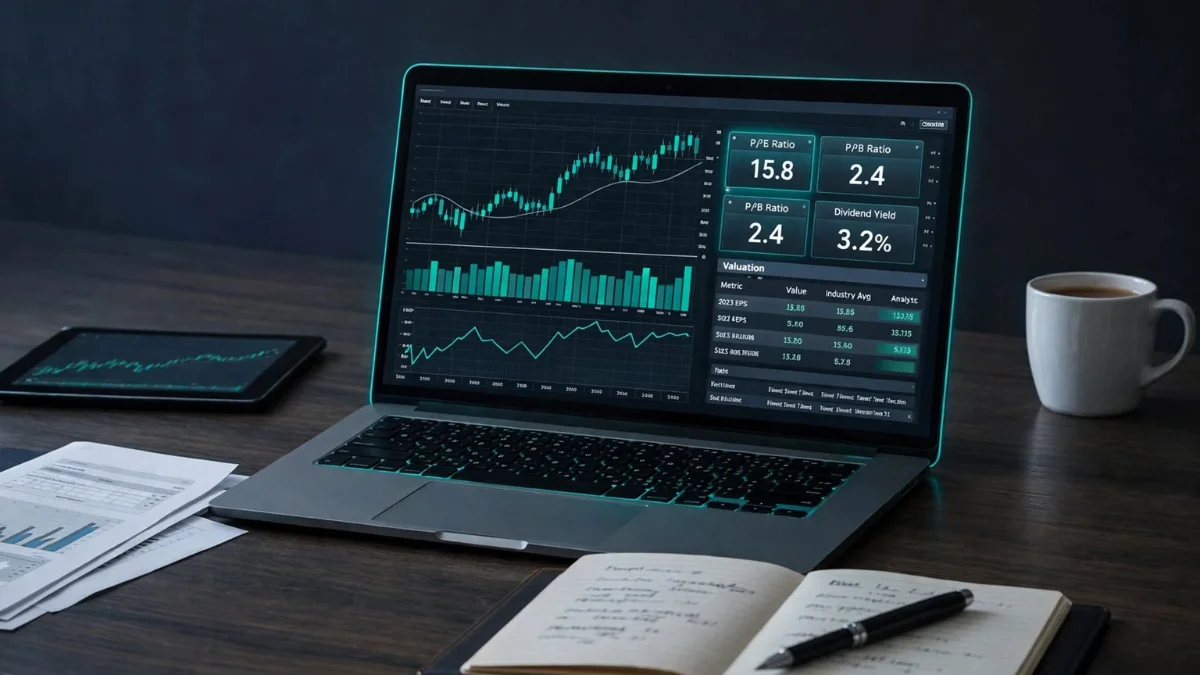
Start with the criteria your strategy needs, then check whether the free tier includes the data and workflow to use them. Relevant filters matter more than a large count that does not fit your research.
Check four things before you build a routine around any free stock screener: what markets it covers, which filters it offers, whether it saves screens, and what you can do with the results.
- Market coverage: confirm that the tool includes your country, exchange, and security types.
- Useful filters: look for the financial or trading measures your approach needs.
- Saved-screen access: see whether you can return to a preset without rebuilding it.
- After the results: check whether the tool offers useful company details or clear ways to sort candidates.
Filter counts can help you compare tools, but they do not show how easy a screen is to build. Finviz offers over 60 filter criteria, including IPO date and shares outstanding. StockFetcher offers over 125 indicators and example filters.
A long menu can still be hard to use if the terms are unclear or the needed data is missing. StockAnalysis.com uses tool tips to explain financial terms, which can help newer investors read its fields with more confidence.
Finviz requires a free account to save preset screens. If saving matters to your routine, test that feature rather than assuming it comes with every free tier.
Also consider how results fit into your next research step. A useful candidate list is easier to work with when you can sort it, see basic company details, and keep a record of the screen that produced it.
A manageable set of relevant filters is more useful than a long menu you will not use.
Best Free Stock Screeners by Use Case
For most readers who want technical tools alongside screening, TradingView is the strongest first choice, while the best alternative depends on the job. Finviz suits a fast visual US scan, while TradingView suits technical depth.
Yahoo Finance works well for general screening, and StockAnalysis.com gives fundamental researchers access to global securities. Webull fits people who want a mobile screen beside trading tools.
The best free stock screener is the one that covers your market and supports the work you actually do. This table compares five free stock screeners by their main use and practical limits.
| Screener | Best fit | Free capability | Practical limit | Recommendation |
| TradingView | Technical and chart-based screening | Stock, ETF, crypto, and bond screeners | Free chart and data limits | Best for technical work |
| Finviz | Quick US market scans | More than 60 filters and heat maps | Account needed to save presets | Best for fast visual filtering |
| Yahoo Finance | Straightforward general screening | Table and heatmap with many stock fields | Results vary with chosen filters | Best for beginners who want a familiar interface |
| StockAnalysis.com | Global fundamentals | More than 130,000 listed securities | Advanced history and exports are not all free | Best for fundamental research |
| Webull | Mobile active-trader workflow | About 50 filters and real-time data | Shallower financial data than research-focused tools | Best for mobile execution workflows |
Yahoo Finance’s free stock screener offers table and heatmap views. Its fields include price, daily change, volume, average volume, market capitalization, P/E ratio, 52-week range, region, sector, industry, and index.
In October 2026, it showed more than 10,000 results. That count is a dated snapshot, not a permanent total for the market. The number of results changes with the filters and universe selected.
StockAnalysis.com’s free screener covers a platform listing of more than 130,000 global securities. That broad reach can help if your research extends beyond US stocks, though some advanced history and export features are not free.
Finviz gives US investors a quick visual overview, while TradingView is better when charts guide the decision. Yahoo Finance provides an accessible starting point, and Webull keeps a scan close to a mobile trading workflow.
Before saving a screen, confirm that its universe includes the market and security type you actually intend to study.
Which Screener Fits Your Investing Strategy?
A chart-led trader and a long-term dividend investor need different filters, so choose the tool that matches the decision you are trying to make. Start with the decision, then choose the data and screen that support it.
TradingView is a strong fit for technical work, while Finviz and StockAnalysis.com can help narrow fundamental candidates. The right choice also depends on your timing and the assets you follow.
Technical Screens for Momentum and Chart Work
TradingView fits chart-led work because its screeners connect with a large charting tool set. Its Pine Screener can scan a custom watchlist or market index with a selected Pine Script indicator, built-in technical indicator, or community script.
Index sources can include up to 4,000 symbols. Supported timeframes range from one minute to one month, with several minute, hour, daily, and weekly choices in between. Watchlists can combine stocks, cryptocurrency symbols, and bonds.
For the best free stock screener for day trading, Webull suits a mobile scan-to-trade workflow, while TradingView suits technical analysis. Your choice turns on whether executing from a phone or studying charts matters more.
Fundamental Screens for Value and Growth
Value investors can use Finviz or StockAnalysis.com to narrow candidates by financial measures. Growth investors can screen for patterns in sales or earnings before reviewing the company’s statements.
Neither screen explains why the numbers changed. A low valuation may reflect a business under strain, while fast growth may not last. Use the results to focus your research rather than to settle the investment question.
Dividend and Mixed-Asset Screens
Yahoo Finance offers sustainability filters and screeners for mutual funds, ETFs, and futures. TradingView also has forex and cryptocurrency screeners, which can suit people who follow more than listed company shares.
These three cues can help you choose between tools:
- Intraday timing: decide whether you need to watch conditions during a trading session.
- Financial history: check how much past company data you need for your analysis.
- Asset types: list the stocks, funds, currencies, or other securities you want to screen.
A screen built for one kind of security may not cover another. Check the tool’s market and data fields before you shape a routine around it.
If your approach depends on one narrow signal, confirm that the screener can express it before spending time building a custom screen.
Is Finviz or TradingView Better for Your Workflow?
TradingView wins when charts and technical analysis drive the decision, while Finviz is quicker for a visual market scan. Choose by task, since each tool presents market information in a different way.
TradingView offers 400+ indicators and 110+ drawing tools. Finviz offers heat maps and hover-chart thumbnails, which make it quick to scan many US stocks visually.
| Attribute | Finviz | TradingView | Better fit |
| Visual market overview | Heat maps and hover-chart thumbnails | Basic charts and screening | Finviz for quick visual scanning |
| Chart-based analysis | Basic charts and screening | 400+ indicators and 110+ drawing tools | TradingView for technical work |
| Saved or active workflow | Free-account saved presets | 30-symbol watchlists and 3 active alerts on Basic | Choose according to the workflow |
| Learning curve | A crowded interface that becomes easier to scan | A polished chart-centered interface | Choose the layout that feels clearer |
TradingView Basic includes watchlists of up to 30 symbols, three active price alerts, and two technical indicators per chart. Those limits may be enough for a small watchlist and basic chart routine.
Finviz presents a dense set of visual information. Its heat maps and hover-chart thumbnails can help you spot market patterns without opening each chart separately.
TradingView’s chart-centered layout may feel clearer if you study price action and indicators. Finviz may feel faster if you want an overview and a quick way to filter US stocks.
Neither interface is automatically easier for every reader. Try the same research idea in both, such as finding stocks from one sector with a selected price range.
Make the choice by testing the same idea in both interfaces, not by comparing feature counts alone.
How Do You Build a Useful Stock Screen?
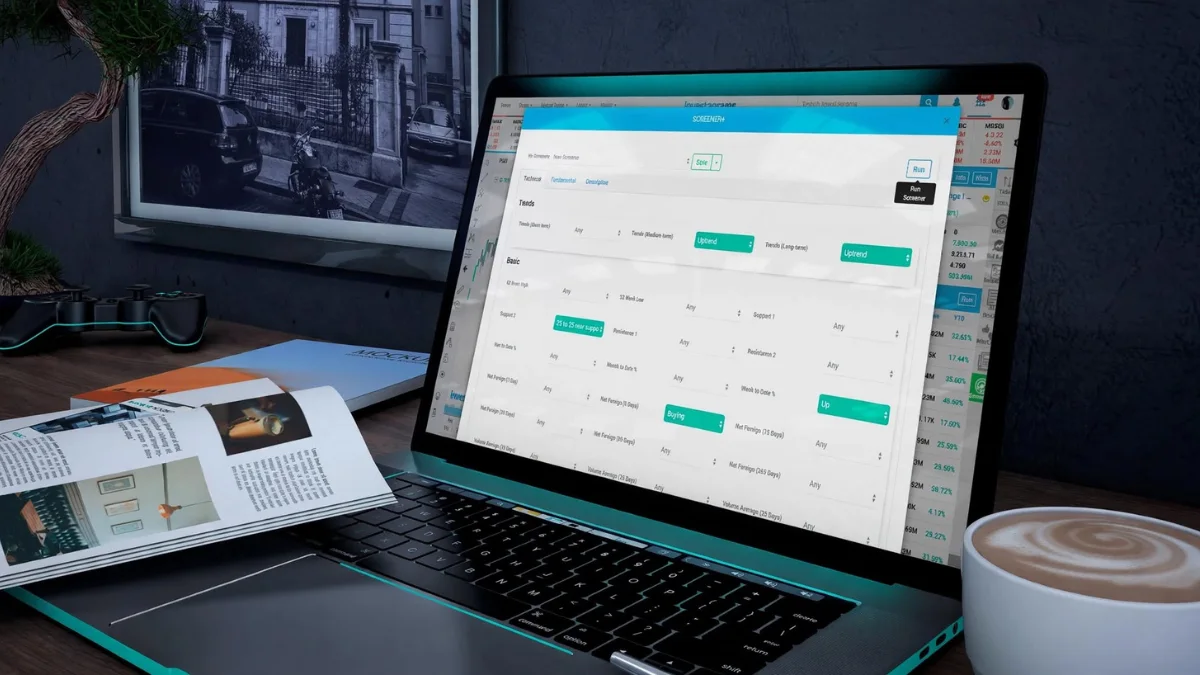
A useful screen begins with a clear investing thesis, not with a long list of filters. Keep the test focused so each choice has a reason.
Build a repeatable screen in five steps, then review the candidates it returns. A preset can help you repeat a search, but it does not turn that search into a complete investing strategy.
Start With a Testable Investing Thesis
- State the thesis: write down what kind of company or market pattern you want to find.
- Choose the universe: select the stocks, exchange, or index that fits the idea.
- Select a small set of relevant filters: growth screens may use high EPS growth, revenue growth, and volume. Value screens may use low P/E, price-to-book, and debt-to-equity. Dividend screens may use yield, payout ratio, and dividend growth.
Use measures that express the thesis, rather than filters that merely look interesting. For example, a growth screen needs measures tied to earnings or sales, while a dividend screen needs measures about income and its support.
Add Guardrails and Review the Shortlist
- Set thresholds: choose levels that fit your idea and the universe, then note why you chose them.
- Review and adjust the candidate list: see which companies appear, then change a filter only when it improves the test.
There is no need to set a threshold just to make a screen return a certain number of names. A list can be short or long; what matters is whether the filters match the question you meant to ask.
One common mistake is stacking unrelated filters until a useful company disappears. A strict debt limit, a high growth rule, and a narrow price range may each be reasonable alone, yet conflict when combined.
Change one filter at a time when results look odd. That makes it easier to see which criterion changed the candidates and keeps the screen easier to repeat later.
Save a screen only after you can explain what each filter is intended to remove or find.
Which Free Stock Screener Apps Work on Mobile?
Yahoo Finance is the simplest mobile starting point for general screening, while Webull better suits traders who want screening beside trading tools. For more equity filters, Stock Scanner Screener AI offers a focused set on iOS.
Yahoo Finance’s mobile filters are more limited than its web screener. Webull keeps screening close to its brokerage tools, with more emphasis on execution than deep company research.
Stock Scanner Screener AI is free to download on iOS and offers in-app purchases. It screens equities, not mutual funds or futures, so it will not fit every investor’s market list.
Its technical filters include RSI, MACD crossovers, moving averages, and Bollinger Bands. Fundamental filters include P/E, dividend yield, market capitalization, and sector.
That combination can make it useful when you want common technical and financial measures in one mobile tool. The app’s focus on equities also sets a clear boundary for anyone screening funds or futures.
Yahoo Finance makes a straightforward choice for a quick check on familiar companies. Webull may work better if you already use a brokerage-linked app and want a screen near your trading activity.
A phone screen is handy for a quick look, but small displays can make long result lists harder to compare. Use an app that lets you see the fields that matter without tapping through every candidate.
Before building a screen on a phone, check whether the app exposes the filters you rely on from its web version.
What Free-Tier Limits Can Affect Your Results?
A free screen can be useful for research while still being too delayed or constrained for a time-sensitive trade. Timing and capacity affect how closely a screen matches the way you plan to use it.
Check quote timing, refresh rates, history, and scan rules before relying on results. Different limits matter to different workflows, so focus on the ones that affect your own screen.
Quotes, Refreshes, and Financial History
Finviz free quotes are delayed by one minute for NASDAQ, NYSE, and AMEX markets. Its free version allows 50 saved screener presets, shows 20 rows per page, and refreshes automatically every three minutes.
A delayed quote can leave a fast-moving price out of step with the market. The refresh interval also means a screen does not update every second. Finviz Elite includes real-time market data for premarket and after-hours sessions.
Finviz free lists three years of financial statements, while Elite lists eight years. A shorter history may be enough for a quick check, but it gives less past context for long-term comparisons.
Pine Screener Scan Boundaries
TradingView Pine Screener places limits on how a scan can run. A screen supports one indicator and one symbol source at a time, with index sources capped at 4,000 symbols.
| Pine Screener constraint | Limit | Practical implication | Check before running |
| Indicators per screen | One | Build separate screens for separate indicators | Choose the indicator first |
| Symbol sources | One at a time | A screen cannot scan multiple sources together | Select one watchlist or index |
| Index universe | Up to 4,000 symbols | Larger sources exceed the supported cap | Check index size |
Those rules can shape how you split a custom scan. A single screen cannot combine several symbol sources, so a broad idea may need separate runs for separate lists.
Script Inputs and Calculation Limits
Pine Screener scripts allow no more than 40 separate request.*() calls. Indicators use only the last 500 chart bars, which limits how far back their calculations can reach.
Custom timeframes and Indicator-on-Indicator are not supported. Supported timeframes are 1, 5, 15, and 30 minutes; 1, 2, and 4 hours; 1 day; 1 week; and 1 month.
Most input.*() functions work, but input.timeframe(), input.symbol(), and input.time() do not. These restrictions can prevent a custom script from using settings that work in other chart contexts.
Check the quote timing and the exact scan limits that apply to your chosen tool before acting on a result.
How Should You Check Stocks After Screening?
A matching result is only a candidate until you understand the company’s business and financial position. Company-level research helps explain what a screen’s numbers leave out.
A market-cap floor, positive EPS, or index membership can remove some very small or unprofitable companies, but none replaces research. A $1 billion minimum market capitalization is one possible guardrail, not a universal threshold.
- Ask why the price may be low, including whether the business faces a lasting problem.
- Learn what the company does and whether its industry has a future.
- Check how management’s choices align with shareholders.
- Review the balance sheet and other financials for signs of strength or strain.
Positive EPS can keep some loss-making firms out of a screen. Membership in the S&P 500, Dow Jones Industrial Average, or Nasdaq 100 can also focus a search on established companies.
Those guardrails still leave important questions unanswered. A company can meet a size or earnings test while carrying risks that do not show up in the filter you selected.
After investing, keep reading the company’s quarterly earnings reports. They can show changes in sales, costs, cash, and management’s plans since your last review.
Cross-check important financial figures against the company’s SEC filings before making an investment decision.
When Is a Paid Screener Worth Considering?
Paying makes sense only when a specific free-tier limit blocks a task you actually need to complete. A real need, such as timely data or more portfolio space, is a better reason than a longer feature list.
Consider an upgrade when you need real-time data, more portfolio capacity, or a trial to test a full research workflow. Finviz Elite includes real-time market data for premarket and after-hours sessions.
Finviz free allows one portfolio with up to 20 holdings or transactions. Elite allows 100 portfolios, each with up to 500 holdings or transactions.
That added space may matter if you track several portfolios or record many transactions. It matters less if you use another tool for tracking and need only a small screen for research.
Do not pay for features just because they are available. A subscription makes sense when it removes a limit that blocks work you expect to repeat.
Stock Rover offers a 14-day free trial without requiring a credit card. A trial is a set period for testing a paid workflow, not a perpetual free tier.
Use a trial to test the steps you would actually take, such as building a screen and following its candidates. That gives you a better sense of whether the tool fits your routine than a tour of features alone.
Compare the cost of a plan with the value of the feature you will use repeatedly, rather than paying for a longer feature list.
Conclusion
The best fit is the free tool that supports the way you research, not the one with the longest filter menu. Screening supports a process; it does not decide which stocks belong in your portfolio. You can also explore how AI in finance is changing financial research and decision-making.
A screen creates candidates, and your time frame helps determine which tool’s limits you can live with. A brief test can show whether its filters and results fit your investing strategy. Just as you compare different financial tools, understanding hot and cold wallets can help you make more informed decisions about crypto storage.
Choose one platform, build a small test screen, and verify its results against company filings before relying on it. If you are also exploring ways to build income beyond investing, check out these businesses started from home for practical ideas.
FAQ
Which app is best for stock screening?
Yahoo Finance is the simplest mobile starting point for general stock screening. Webull suits traders who want screening beside brokerage tools, while Stock Scanner Screener AI offers technical and fundamental filters for equities. Yahoo’s mobile filters are more limited than its web screener, so the best fit depends on which fields you need on your phone.
What is the 7% rule in stocks?
The 7% rule is a stop-loss rule of thumb that suggests selling after a stock falls about 7-8% below its purchase price. Some traders use it to limit a loss, but a set percentage cannot account for every company or market move. It is not a guarantee, and it is not a universal rule for every investor.
Is Finviz better than TradingView?
TradingView is better for chart-led technical analysis, while Finviz is better for a fast visual scan of US stocks. TradingView has a wide range of chart tools and indicators. Finviz makes its market overview easy to scan with heat maps and hover-chart thumbnails. Choose based on the task you do most often.
How to find good stocks in Screener?
Start with a defined investing thesis, then use a small set of filters that express it. Review each candidate’s business, financial position, and company filings before deciding whether it merits more research. A screen can make a large market easier to sort, but it cannot judge every risk or tell you whether a stock fits your goals.
Which free stock screener is the best?
TradingView is the strongest broad technical pick, while Finviz, Yahoo Finance, and StockAnalysis.com fit different research needs. Finviz suits fast visual scans of US stocks. Yahoo Finance offers a familiar general-purpose screen, and StockAnalysis.com covers a large range of global securities. Your best choice depends on the market and data you want to examine.
Which is the best screener for US stocks?
Finviz is a strong choice for quick visual screening of US stocks, while TradingView is a better fit when technical charting is central. Finviz uses heat maps and many filters to help sort the US market. TradingView connects screening with chart tools. Both can make candidates easier to find, but neither replaces company research.
Disclaimer: This article is for informational purposes only and is not financial or investment advice. Always conduct your own research before investing. Stock investments involve risks, including the potential loss of your money.